Social media scheduling
Live

BulkPublish lifetime deal

The BulkPublish lifetime deal costs $59 for one person managing one organization. It combines bulk scheduling, recurring content, RSS and programmable publishing. The main restriction is easy to miss: 15 channels means one profile per platform, not that many accounts on your favourite network.

STARTING PRICE

$59one-timeBuy now
Table of contents

Who is BulkPublish for?

Consider it for one brand publishing across different networks. Skip this offer if you need two Instagram profiles, separate client workspaces or an approval team. Resolve the X and AI cost questions before making either central to the purchase.

Suitable for

Solo publisher using several networks; Bulk preparation of a recurring publishing calendar; Small API or MCP publishing workflows

Consider another option if

Only one connected channel per platform and one user.; X publishing and AI allowances are not specified for this lifetime offer.; Team approvals and a full social inbox are not established as lifetime entitlements.

Multi-platform publishing

What comes with the lifetime deal?

Account

One user and one organization

Publishing

20 posts/day; 600 listed per month

Automation

1,000 API requests/day

Purchase terms

Redeem within 60 days; no stacking; 60-day refund window; Radar offer without We Got Your Back coverage

PLANS AND PRICING

BulkPublish plans and pricing

Prices and allowances are shown for each plan below.

PLAN DETAILS

Compare each plan’s price and allowance. Confirm any limit marked ‘Not specified’ before buying.

BulkPublish plans and limits · USD
Plan comparison1 planOne operator, one brandLicense Tier 1
PriceUSD$59one-time
BillingOne-time payment
Connected accounts15
Users1
Workspaces1
Posts per day20posts/day
Listed monthly posts600posts/month
API requests per day1,000requests/day
API keys2keys
Auto-publishing RSS feeds3feeds
Repeat schedules3schedules
Media storage1GB
Labels25labels
Who this tier fitsA cross-network publishing routine that fits the profile and daily limits.
Keep in mindDo not buy for multi-client approvals or heavy X/AI usage until the missing entitlements are confirmed.
Plan notes
  • One channel per platform; channel count does not permit several profiles on one network.
  • Unlimited pending schedules do not remove daily publishing limits.

Select the final tier on AppSumo. The product link opens the same listing for every tier.

Costs and limits to account for

  • Only one connected channel per platform and one user.
  • X publishing and AI allowances are not specified for this lifetime offer.
  • Team approvals and a full social inbox are not established as lifetime entitlements.

There is one tier; buy only if its account structure fits

The single plan includes 1 user and 1 organization. Buying more codes does not create a documented upgrade path because the offer says it is not stackable. A creator with one channel on each of several networks is a better match than an agency with several businesses on the same network.

Count profiles before counting platforms. A Facebook page, Instagram account and LinkedIn destination are different channel connections. Two Instagram profiles fail the one-per-platform rule even when the total remains well below the advertised channel count. Ask about the exact supported account types if your workflow involves groups, personal profiles or several page identities.

A long queue does not remove the daily publishing cap

The deal lists unlimited pending scheduled posts alongside 20 daily posts and 600 monthly posts. These describe different stages: storing work for later and actually sending it. A launch-day burst may exceed the daily cap even when the rest of the month is quiet.

The evidence does not settle whether one item sent to several platforms consumes one publication or a separate unit for each destination. Until that is confirmed, budget by destination to avoid understating demand. For example, five items sent to four networks could require twenty destination publications. That is a conservative planning example, not a measured debit rule.

API requests, RSS feeds and repeat schedules have separate limits

The offer lists 2 keys and 1,000 requests per day without explicitly explaining per-key counting. Budget that as one account allowance until the vendor confirms otherwise; do not assume another key doubles capacity. A workflow may upload media, create a draft, schedule it and poll its status. Requests therefore cannot be converted directly into a guaranteed number of completed posts.

The plan also includes 3 auto-publishing feeds and 3 repeat schedules. Decide which recurring series genuinely needs automation. Avoid continuously polling unchanged posts, and keep a manual review step for evergreen offers whose price or availability can expire. The exact reset time and handling of failed requests remain unconfirmed.

Do not assume X and AI usage are free forever

BulkPublish’s standard pricing separates X usage from ordinary publishing and charges credits after its applicable allowance. Its direct paid plans also describe monthly AI-caption budgets. The lifetime listing does not establish which X or AI allocation this specific offer receives, whether credits recur or how top-ups attach to it. Those are unresolved buying questions, not included unlimited features.

The direct site sells extra channel slots for its subscription service, but that does not prove the lifetime licence can buy the same add-on. The same caution applies to client review links, team approvals and the broader shared inbox shown in subscription comparisons. Get the exact lifetime entitlement before paying for a workflow that depends on them.

Storage is 1 GB. Large video assets may require regular housekeeping, and the evidence does not establish a lifetime storage upgrade. External workflow services, an AI assistant subscription or self-hosting costs remain separate from the scheduler purchase.

Treat automation claims as features to verify, not measured reliability

The AppSumo listing has no substantive buyer-review history or question answers to establish a pattern of support or publishing reliability. A public integration listing explains how a connection is intended to work; it does not demonstrate successful publishing on your accounts.

Before migrating a calendar, use the refund period to check the exact network, media type and scheduled time you depend on. Keep the original publishing process available until failed-post handling, reconnecting an expired account and editing a queued item behave acceptably.

FEATURE COMPARISON

Features, limits and paid extras

“Included” and “unlimited” can mean different things. This checklist separates full access, usage limits, add-ons and features that are not confirmed.

Feature coverage8 / 13

8 fully included · 2 limited · 0 add-on · 0 not included · 3 not confirmed. Coverage is not a quality score.

IncludedLimitedPaid add-onNot includedNot confirmed

Features are grouped by documented coverage. “Not confirmed” means the evidence is incomplete, not that a feature is absent.

Social media scheduling: documented features and conditions
FEATURESFeature comparisonBulkPublishLifetime deal
Included8 features
Scheduled publishingPrepare posts for a later date and time.
Included

Schedules supported formats; daily publishing caps still apply.

Bulk schedulingLoad or schedule multiple posts in one workflow.
Included

Bulk composer and CSV import are listed.

API accessConnect external software through a documented programming interface.
Included

Two keys and a daily request allowance are listed; per-key counting is not explicit.

AI assistant / MCP accessConnect a compatible assistant to supported product actions.
Included

MCP connection is listed; external assistant costs are separate.

Performance analyticsRead supported account or post performance metrics.
Included

Analytics are listed, with network-dependent data.

RSS publishingTurn updates from a feed into social content.
Included

Three feeds can auto-publish.

Recurring contentAutomatically reuse or repeat scheduled evergreen content.
Included

Three repeat schedules are included.

Connected thread schedulingSchedule a linked sequence of posts, not just one standalone post.
Included

Official workflow lists threads, with platform-specific options.

Limited2 features
Separate workspacesOrganize brands or clients in separate working areas.
Limited

One organization; no multi-client allowance.

Social inboxHandle supported comments or messages in a shared interface.
Limited

Comment replies are listed; the broader paid-plan inbox is not established for this deal.

Not confirmed3 features
AI writingGenerate or refine post text within the purchased product.
Not confirmed

AI writing exists, but the lifetime credit allowance is not stated.

AI image generationCreate images within the purchased product, subject to credits.
Not confirmed

Not established for this lifetime offer.

Approval workflowRequire review or approval before another person publishes.
Not confirmed

Not established for this lifetime offer.

Check each product’s plan notes for tier limits and additional costs. Feature coverage is not a quality rating.

USE CASES

What problems does BulkPublish solve?

01

Prepare a week of posts without opening every network

A solo operator repeats the same scheduling work across several supported destinations.

How to use it

  1. Prepare the copy and media in a CSV or the bulk composer.
  2. Review each destination’s format and publishing options.
  3. Schedule batches within the daily limit and check any failures before repeating them.

What this helps you do: One preparation workflow can replace separate scheduling sessions.

Limitations: One channel per platform prevents this becoming a multi-client account; network-specific posting restrictions still apply.

02

Publish updates from an existing content system

A website or assistant needs to hand approved content to a scheduler.

How to use it

  1. Connect through a listed API, integration or MCP client.
  2. Keep authentication keys private and separate draft creation from the approval to publish.
  3. Budget lookup, media, scheduling and status requests as well as final publishing calls.

What this helps you do: The content system can feed the calendar without manual re-entry.

Limitations: External assistants, workflow hosting and paid integration services are not funded by this deal.

DO THE MATH

What could you save?

Compare the cash cost of named plans over your chosen period.

Add recurring extras
BulkPublish$59.00License Tier 1 over 36 months
Buffer$180.00Essentials · 1 channel · 1 paid channel
Potential cost difference $121.00less spent on the lifetime option

Different plans, different capabilities. This is a cost scenario, not a promise of equal features or future savings. BulkPublish: 15 accounts, 1 user. Buffer: 1 paid channel. Annual plans are charged for full years. Prices stay constant; taxes, usage overages, external services and migration work are excluded unless added above. A lifetime licence lasts under the vendor’s terms, not a guarantee that the business will operate forever.

Buffer’s Free plan includes API access and may be sufficient for a small workflow. The paid-channel scenario does not assume free channels can be combined with paid ones.

Compare BulkPublish with a free queue and a larger-account deal

Buffer Free is an alternative when its small channel and queue limits cover your routine. Its queue refills as posts publish, so a person willing to schedule more often may not need a lifetime purchase. AdaptlyPost is a different candidate when you need more connected profiles or workspaces and want an explicitly recorded API/MCP entitlement.

SocialBu Tier 2 is more relevant for team approval and an inbox, while its post and X-link quotas need their own budget. None is automatically better at every network format. Choose by the account structure, review process and publishing actions you actually need; a lower one-time price cannot compensate for an unsupported second profile.

IncludedLimitedPaid add-onNot includedNot confirmed

Features are grouped by documented coverage. “Not confirmed” means the evidence is incomplete, not that a feature is absent.

Social media scheduling: documented features and conditions
FEATURESFeature comparisonBulkPublishLifetime dealAdaptlyPostLifetime dealPostlyLifetime offer ended
Included in every compared tool3 features
Scheduled publishingPrepare posts for a later date and time.
Included

Schedules supported formats; daily publishing caps still apply.

Included

Scheduled posts; X uses two credits, or twenty with a clickable link.

Included

Historical LTD scope.

Bulk schedulingLoad or schedule multiple posts in one workflow.
Included

Bulk composer and CSV import are listed.

Included

Prepare multiple posts in one batch; review each destination, caption and publishing time before scheduling.

Included

Historical LTD scope.

Performance analyticsRead supported account or post performance metrics.
Included

Analytics are listed, with network-dependent data.

Included

Metrics vary by connected platform.

Included

Described in the historical listing.

Where coverage differs4 features
API accessConnect external software through a documented programming interface.
Included

Two keys and a daily request allowance are listed; per-key counting is not explicit.

Included

No separate API subscription.

Paid add-on

LTD API add-on required.

AI assistant / MCP accessConnect a compatible assistant to supported product actions.
Included

MCP connection is listed; external assistant costs are separate.

Included

Connect a supported MCP assistant to prepare or schedule posts. The assistant service can charge separately.

Paid add-on

Included with the LTD API add-on.

Separate workspacesOrganize brands or clients in separate working areas.
Limited

One organization; no multi-client allowance.

Included

3 workspaces in Tier 1.

Included

Historical Plan 1: five workspaces.

Recurring contentAutomatically reuse or repeat scheduled evergreen content.
Included

Three repeat schedules are included.

Limited

The MCP create_post action supports daily, weekly, monthly and yearly recurrence. Automatic evergreen rotation is not established.

Included

Recurring posts.

Evidence still incomplete6 features
AI writingGenerate or refine post text within the purchased product.
Not confirmed

AI writing exists, but the lifetime credit allowance is not stated.

Limited

Two credits per caption.

Limited

Historical Plan 1: 4,000 words/month.

AI image generationCreate images within the purchased product, subject to credits.
Not confirmed

Not established for this lifetime offer.

Limited

Two credits per standard image; four per premium image.

Not confirmed

Support for this plan has not been confirmed.

RSS publishingTurn updates from a feed into social content.
Included

Three feeds can auto-publish.

Included

Listed in current plan features.

Not confirmed

Support for this plan has not been confirmed.

Approval workflowRequire review or approval before another person publishes.
Not confirmed

Not established for this lifetime offer.

Limited

Contributors prepare their own drafts; Editors or Admins publish. Dedicated client sign-off is not established.

Included

Historical listing includes workflow approval.

Social inboxHandle supported comments or messages in a shared interface.
Limited

Comment replies are listed; the broader paid-plan inbox is not established for this deal.

Not confirmed

Current inbox scope not established.

Not confirmed

Support for this plan has not been confirmed.

Connected thread schedulingSchedule a linked sequence of posts, not just one standalone post.
Included

Official workflow lists threads, with platform-specific options.

Not confirmed

API docs describe connected replies; the help article still excludes thread scheduling. Confirm the intended workflow before buying.

Included

Historical listing includes Twitter threads; current account rules still apply.

Check each product’s plan notes for tier limits and additional costs. Feature coverage is not a quality rating.

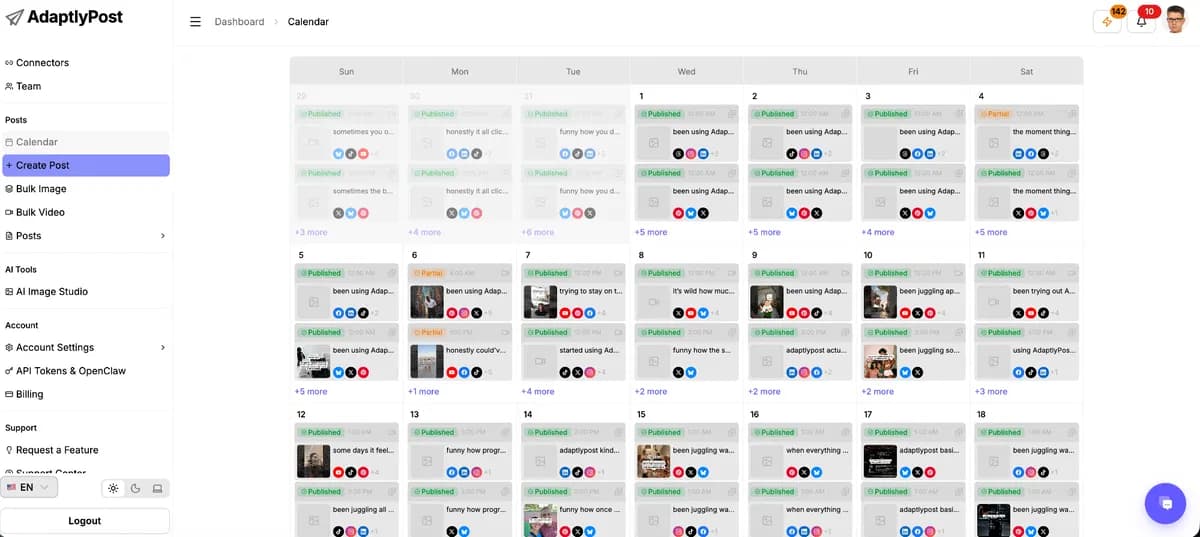
AdaptlyPost monthly social calendar showing scheduled posts.
Live
Social media scheduling

AdaptlyPost

Schedule and publish posts across your social media accounts.

GOOD FORCreators coordinating several profiles
$59 / once
Postly vendor illustration of multi-platform publishing with a mobile interface.
Sold out
Social media scheduling

Postly

Plan, schedule and publish social media posts.

GOOD FORExisting Postly lifetime customers
Deal ended
Buffer Publish space showing a post composer, calendar and schedule controls.
Subscription alternative
Social media scheduling

Buffer

Schedule social posts and manage publishing with your team.

GOOD FORCreators with a small channel set
$60 / year

BEFORE YOU BUY

BulkPublish lifetime deal FAQs

Can I connect several profiles on the same platform?

Not under the recorded offer: it permits one channel per platform. Do not use the total channel count as permission for multiple Instagram or X profiles.

Does the API allowance mean that many posts?

No. Uploads, lookups and other operations can use requests. The exact calls needed for your workflow require a separate budget.

Is every AI or X action included?

The lifetime allocation is unresolved. Standard subscription allowances must not be copied onto this offer.

Can I stack codes to add a teammate?

The deal is not stackable. There is no evidenced lifetime upgrade path for additional users.

Related buying recommendations