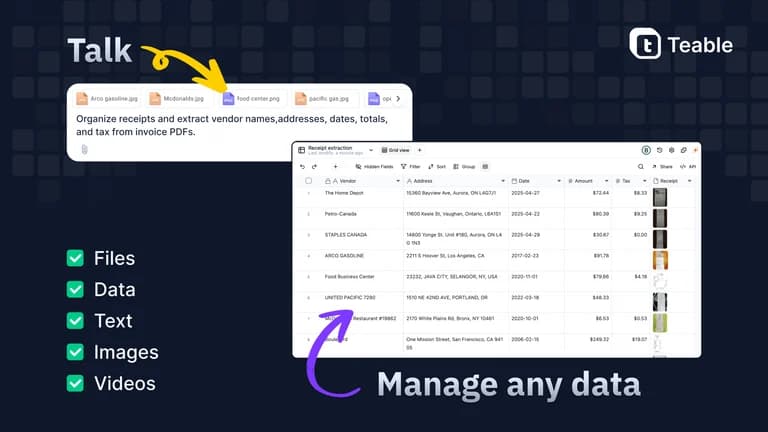
The Teable lifetime deal is sold out. Its recorded plans remain useful for existing owners and for comparing a hosted database with a conventional spreadsheet CRM. Teable can combine data, automations and AI-built web apps, but the rows, credits, storage and seats are separate allowances. The most consequential correction is that rows belong to the whole space, not to each base inside it.
For existing owners, size work around the space’s combined records and busiest automation month. Tier 3 is the first recorded tier with custom domains, detailed permissions and SSO. New buyers should compare the current direct offering or free plan; historical AppSumo prices are not available checkout prices.
Suitable for
Existing Teable owners planning database capacity
Consider another option if
The AppSumo offer is sold out.
What comes with the lifetime deal?
Access and activation
Lifetime access under the listed plan; activate within 60 days of purchase.
Refund window
The offer states a 60-day refund window. External service charges are separate.
PLANS AND PRICING
Teable plans and pricing
This offer has ended. Historical entitlements below are for existing owners.
PLAN DETAILS
The offer has ended. These are recorded plan details, not an offer you can currently buy.
Monthly AI credits do not roll over; self-hosted licences are separate.
Read the four historical tiers as different capacity bundles
The historical entry tier is $69 for three seats, 100,000 rows and 3,000 automation runs. Tier 2 raises these to five seats, 300,000 rows and 10,000 runs. Both map to Pro and retain one year of row history. Neither includes custom app domains, the authority matrix or SSO in the offer feature list.
Tier 3 at $329 is the first Business mapping, with ten seats, 600,000 rows and 30,000 runs. Tier 4 at $549 raises seats to 50 and capacity to 1,000,000 rows and 100,000 runs. Both carry three years of row history. More seats do not multiply the listed shared AI pool. A buyer who needs a branded app domain has a feature requirement, not merely a reason to estimate a larger row count.
Count all bases within the licensed space
In a May 7 founder correction, Teable explicitly says an earlier per-base answer was wrong: rows from every base in a space count together. If an existing Tier 3 owner keeps 350,000 CRM rows and 200,000 operations rows in two bases, the combined 550,000 leaves 50,000 rows before the recorded limit. Creating a third base does not create another 600,000-row allowance.
The licence is attached to a space rather than simply to an email address. A May support answer explains that a buyer saw a Free account because they were looking at the wrong space. When sharing access or handing work to another person, record the licensed space, owner and collaborators. Do not repeatedly import data into a new space while assuming the same purchased benefits follow every account.
Keep monthly AI, upfront AI and automation runs separate
Tier 1 lists 500 AI credits plus 1,000 upfront; the upper tiers follow the same two-month upfront bonus pattern. The upfront amount is a one-time starting allowance, not an extra grant each month. A founder answer says unused monthly credits do not accrue and that rollover was not on the roadmap at that time.
An automation run is not interchangeable with an AI credit. A workflow can use a scheduled run and then perform model work whose cost depends on the task. For planning, 100 scheduled executions each day would total 3,000 in a 30-day month before retries or extra triggers. That illustrates why Tier 1’s run allowance may be tight even while some AI credits remain.
The direct site now advertises different per-seat subscription allowances. Those values do not rewrite the historical AppSumo pool. Paid add-on usage and BYOK are separate ways to cover demand; using your own model key shifts model billing rather than eliminating database, attachment or automation limits. A repeated buyer theme is that clear task instructions matter because unsuccessful iterations can consume credits too.
Cloud lifetime access is not a self-hosting licence
Teable’s current deployment guide distinguishes Cloud, full-featured self-hosting and a standalone self-hosted system. The standalone route lacks the AI and App Builder capabilities shown for the fuller platform. Running software on your own server also creates hosting, backups, upgrades and operational work. Open-source availability should not be read as identical entitlement to every commercial feature.
For a small company without an administrator, the hosted space removes much of that infrastructure work. For a business requiring control of deployment or data location, first identify the exact self-hosted edition and its paid licensing requirements. Buying or already owning the AppSumo cloud offer does not by itself establish a transferable self-hosted licence.
Build client work where ownership and billing are clear
The founder’s June guidance is to have the client own a Teable space and subscription, then invite the consultant to build, train and maintain it. This is a practical separation between selling professional services and selling access to your lifetime account. A custom domain makes an app look client-branded but does not automatically grant account resale rights.
Current documentation includes code synchronization for Business subscriptions, but the exact applicability to a historic lifetime account needs confirmation before promising a portable app. CSV records, linked-table relationships, automation definitions and a deployable frontend are different export concerns. Keep a small export sample and a handover checklist before the app becomes the only place the business can perform an essential operation.
Use a simpler system when the workflow is already simple
Teable’s free direct plan currently offers a small starting space and a one-time AI bonus. It is useful for learning the data model with noncritical examples; lifetime tiers have separate entitlements. A plain spreadsheet can be enough for a low-volume contact register, while Sheetify CRM adds ready-made sales structure to Google Sheets.
Choose Teable when linked records and repeatable operations justify designing a database. A team that only needs to remember the next follow-up may gain little from creating a custom app. Recent AppSumo reports praise flexibility but also mention credit consumption, support and an unavailable upgrade path. An enthusiastic user story is not a benchmark of your database or a guarantee that a sold-out licence can be upgraded.
FEATURE COMPARISON
Features, limits and paid extras
“Included” and “unlimited” can mean different things. This checklist separates full access, usage limits, add-ons and features that are not confirmed.
Feature coverage2 / 7
2 fully included · 4 limited · 0 add-on · 0 not included · 1 not confirmed. Coverage is not a quality score.
Features are grouped by documented coverage. “Not confirmed” means the evidence is incomplete, not that a feature is absent.
CRM and databases: documented features and conditions
FEATURESFeature comparison
TeableLifetime offer ended
Included2 features
Linked recordsLinked records availability and limits
Included
Linked records, formulas, lookups and database views.
Workflow automationWorkflow automation availability and limits
Included
Monthly runs vary by tier and are separate from AI credits.
Limited4 features
Sales pipelineSales pipeline availability and limits
Limited
Build a CRM around tables and apps rather than a fixed sales-only product.
Team permissionsTeam permissions availability and limits
Limited
Authority matrix and SSO start at Tier 3.
AI assistanceAI assistance availability and limits
Limited
Monthly AI credits plus a separate upfront bonus; BYOK may add provider costs.
Data exportData export availability and limits
Limited
CSV export is documented; complete app portability requires separate assessment.
Not confirmed1 feature
Email outreachEmail outreach availability and limits
Not confirmed
Availability of this feature is not specified.
Check each product’s plan notes for tier limits and additional costs. Feature coverage is not a quality rating.
USE CASES
What problems does Teable solve?
01
Combine sales and delivery records
Teams repeat the same customer details across disconnected lists.
How to use it
Define customer, deal and job tables with stable identifiers.
Link records and create views for each role.
Add one automation and measure its run and AI consumption.
What this helps you do: A common data model can reduce duplicate updates.
Limitations: Combined rows still consume one space allowance.
02
Hand a client an operational app
A consultant needs to avoid owning the client’s ongoing account and bills.
How to use it
Ask the client to own the destination space.
Build with an invited role and documented permissions.
Agree on export, support and usage billing before launch.
What this helps you do: Ownership can remain with the customer.
Limitations: Custom domains do not prove licence resale or complete app portability.
BUYER FEEDBACK
What buyers say
Buyer experiences can vary with the plan, product version and workflow.
Mixed feedback
Flexible apps, with credit and upgrade concerns
Five recent reviews praise adaptable apps and operational workflows. They also mention rapid credit use, missing rollover and difficulty upgrading after the offer ended. Experiences may differ between accounts.