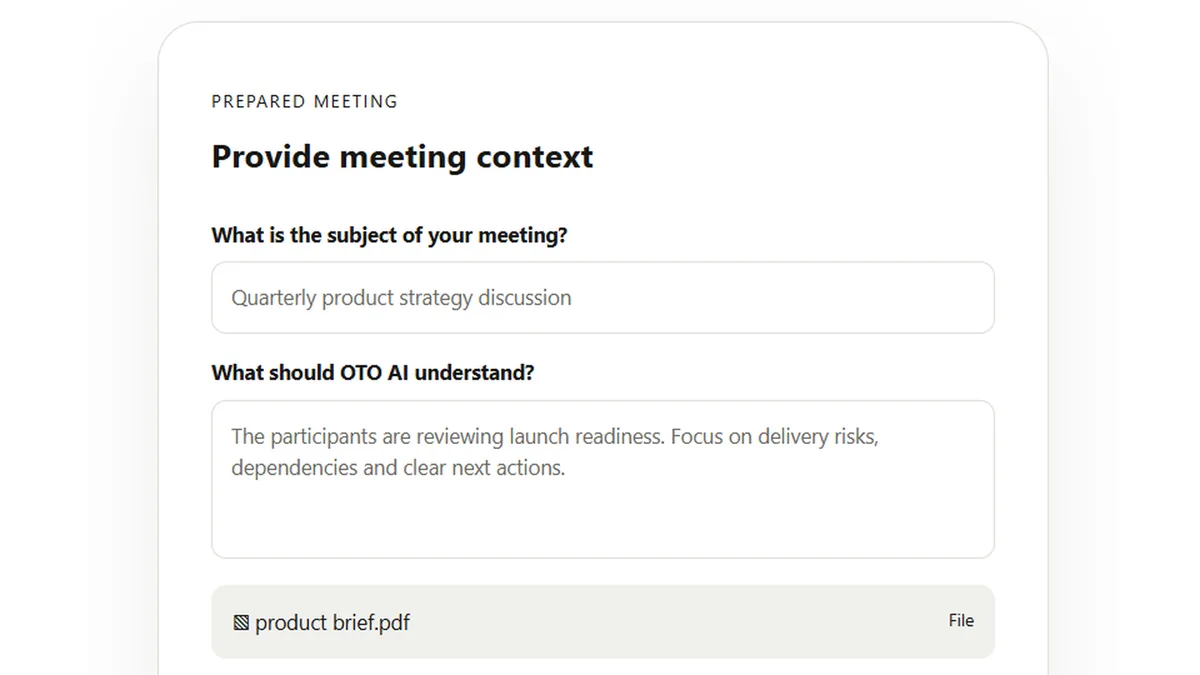
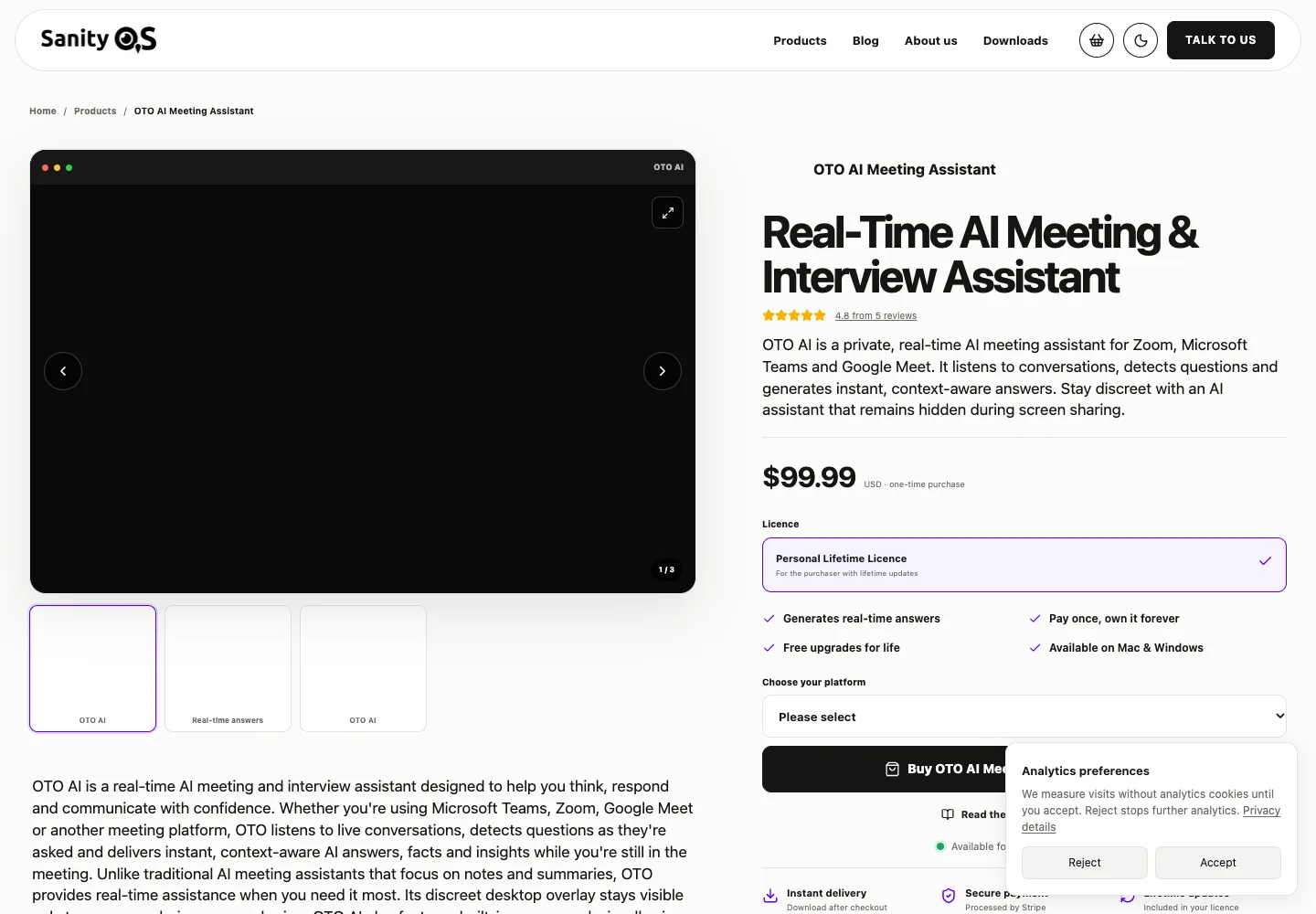
OTO AI is a live-answer desktop assistant. It listens for questions and can use a brief, documents or public links as context. Its low one-time licence price is only part of the decision: you supply an AI provider key, and the current product is not a complete meeting-transcript archive.
Buy only when the job is retrieving relevant information during an authorized discussion and you are comfortable managing provider billing. If your main need is minutes, action items and searchable records after the meeting, choose a notes product instead.
Suitable for
Individuals needing live answers from prepared material
Consider another option if
Buyers wanting a no-configuration notes archive or confirmed multilingual support.
What comes with the lifetime deal?
Access
Lifetime access to the listed plan; activate within 60 days.
Refund
AppSumo displays a 60-day refund period.
PLANS AND PRICING
OTO AI plans and pricing
Prices and allowances are shown for each plan below.
PLAN DETAILS
Compare each plan’s price and allowance. Confirm any limit marked ‘Not specified’ before buying.
OTO AI plans and limits · USD
Plan comparison1 plan
For one defined live-answer workflow1 Code
PriceUSD
$34one-time
Billing
One-time payment
Meeting duration
Unlimitedminutes
Who this tier fits
Prepared-reference help during permitted desktop calls.
Keep in mind
Bring an API key, budget provider use and keep a separate recorder if needed.
Plan notes
Bring your own supported AI provider API key; provider charges are separate.
No full post-meeting transcript/archive in the founder’s current description.
No code stacking; multilingual support and proactive suggestions are not confirmed shipped.
Select the final tier on AppSumo. The product link opens the same listing for every tier.
Full meeting notes and transcript history are not included.
Screen-share protection is best effort, not guaranteed invisibility.
One code unlocks the app, not an AI allowance
The current offer is $34 for one code, with no stacking. The founder says meeting number and duration are not metered. That removes an OTO meeting-minute ceiling; it does not supply unlimited inference from OpenAI, Anthropic, Gemini or DeepSeek.
The setup guide requires at least one connected provider model before a meeting can start. Budget for creating and managing that API account as part of the purchase. A consumer chatbot subscription is not evidence that the corresponding API usage is included.
Your provider bill depends on context and requests
OTO sends questions and selected context directly to your chosen provider. Longer documents, repeated requests, a more expensive model and screen images can all change usage. The founder says large files increase token consumption even though a fixed document-size limit was not stated.
Start with the brief sections that are relevant to the call, rather than an entire company drive. Set a spending limit with the provider where available, then check actual usage during an approved evaluation. Monthly cost depends on the model, document size and number of requests; the licence alone is not a cost forecast.
Your provider bill depends on context and requests
Cost or limit
What is included
What you must budget or verify
OTO licence
One-time app access
Device count and multi-person licensing are not stated.
AI answers
Connection to your supported API provider
Provider usage and billing remain separate.
Prepared files
Documents and URLs can supply context
Large material consumes more tokens and may slow replies.
Screen analysis
Available with an image-capable model
Provider image charges and data handling apply.
Do not buy OTO for an after-meeting archive
In an October 17 answer, the founder explicitly said full-meeting transcription, later summaries and querying transcripts months later were not part of the current version. The live transcript bar is for recognized questions; it should not be presented as a retained verbatim meeting record.
The guide’s Previous subjects option reuses prepared context. That is different from searching a history of completed meetings. If you need meeting minutes for colleagues, keep the existing recorder or select a product with documented post-meeting notes. A possible future transcript feature is not a current entitlement.
Language support and proactive suggestions remain purchase conditions
The recent questions page includes requests for Malay and broader multilingual support. The founder described language expansion as still in progress; a release is not confirmed. Do not assume that a language supported by your chosen text model is supported by OTO’s local speech recognizer.
OTO currently listens for questions. Proactively spotting an opportunity to contribute was described as a planned suggestions feature, and free operating-system AI was also a future proposal. If either feature is the reason you would buy, wait for a documented release rather than treating a promised date as completion.
Local speech does not mean every request stays local
The documentation says transcription runs on the device and saved API keys use the operating system credential store. Questions, chosen context and requested screen images are then sent to the selected provider. Review that provider’s data controls before loading client or personnel material.
The app can select microphone and speaker inputs. Muting OTO’s microphone control stops OTO listening; it does not mute you in Zoom or another meeting app. Screen-share protection is described as best effort and can vary with the operating system, remote desktop and recording software. Use it only where assistance is permitted, and never rely on an invisibility claim as a permission model.
A small review sample leaves reliability unproven
The AppSumo listing has one buyer review. That buyer praised prompt help with code redemption and early product feedback, while explicitly describing their use as early. This is useful evidence of one support interaction, not a broad reliability record.
OTO is listed under AppSumo Radar. The listing states that Radar products are early-stage and not covered by We Got Your Back. The offer still shows a 60-day refund period. Use that distinction when assessing vendor risk, rather than treating the marketplace listing as a complete technical assessment.
FEATURE COMPARISON
Features, limits and paid extras
“Included” and “unlimited” can mean different things. This checklist separates full access, usage limits, add-ons and features that are not confirmed.
Feature coverage0 / 5
0 fully included · 3 limited · 0 add-on · 2 not included · 0 not confirmed. Coverage is not a quality score.
Features are grouped by documented coverage. “Not confirmed” means the evidence is incomplete, not that a feature is absent.
Meeting notes: documented features and conditions
FEATURESFeature comparison
OTO AILifetime deal
Limited3 features
Meeting captureWhich calls can be captured.
Limited
Local question recognition during a session; not a full retained meeting transcript.
Local processingWhere audio and AI processing happen.
Limited
Speech recognition runs locally; questions, context and requested screen images go to the selected AI provider.
Live coachingAvailability and language limits of feedback.
Limited
Answers recognized questions; proactive suggestions were still a roadmap item in the founder answer.
Not included2 features
Meeting summariesProduce notes and follow-up summaries.
Not included
Founder says full post-meeting transcripts and summaries are not in this version.
Meeting searchFind information in earlier meetings.
Not included
Previous subjects reuses prepared context, not a searchable archive of completed meetings.
Check each product’s plan notes for tier limits and additional costs. Feature coverage is not a quality rating.
USE CASES
What problems does OTO AI solve?
01
Answer from a product brief without searching folders mid-call
A colleague asks about a detail in a document, and looking it up disrupts the conversation.
How to use it
Prepare a named subject with a brief and relevant files or public references.
Select a supported AI model and start the session.
Review the recognized question and answer against the underlying material.
What this helps you do: The intended workflow puts a response beside the conversation rather than requiring a separate search.
Limitations: Large context can increase provider token usage and response time; generated answers still need verification.
02
Explain a visible diagram during an approved working session
A discussion depends on a slide or chart that the assistant cannot understand from audio alone.
How to use it
Choose a model that accepts images.
Enable screen analysis and display only the intended material.
Request analysis and review the response before using it.
What this helps you do: Visual context can accompany the question when the chosen model supports it.
Limitations: The requested screen image goes to your provider. Image support and its price depend on that provider, not the lifetime licence.
BUYER FEEDBACK
What buyers say
Buyer experiences can vary with the plan, product version and workflow.
Mixed feedback
Early support experience
The sole purchaser review describes fast redemption help and responsiveness to suggestions. The review explicitly reflects early use, so it cannot establish mature reliability.
OTO AI images
Choose live answers or a retained meeting record
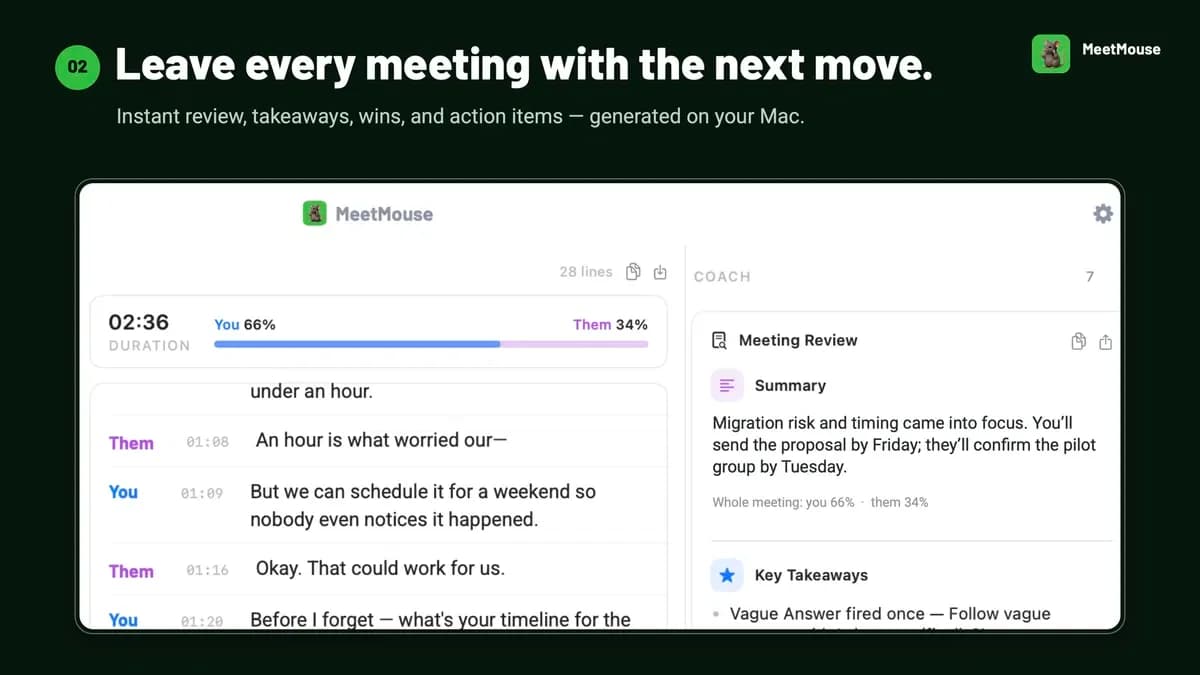
Hedy AI is a better fit on documented features when you need live assistance together with summaries, Topics and cross-session retrieval. Its Pro deal has a per-session automatic-suggestion limit, device requirements and separate Teams access. MeetMouse is a narrower Mac option for local notes, subject to its capture and Intel restrictions.
OTO is the more focused option when you already have model access and mainly want answers tied to prepared material. Compare the total provider cost and configuration time, not just the one-time price. None of these feature differences establishes that one assistant gives more accurate answers on your actual calls.
Features are grouped by documented coverage. “Not confirmed” means the evidence is incomplete, not that a feature is absent.
Meeting notes: documented features and conditions
FEATURESFeature comparison
OTO AILifetime deal
MeetMouseLifetime deal
Hedy AILifetime deal
Where coverage differs4 features
Meeting captureWhich calls can be captured.
Limited
Local question recognition during a session; not a full retained meeting transcript.
Limited
Listed meeting apps are supported, but FaceTime claims conflict between the homepage and August 10 release notes. Confirm that exact capture path.
Included
Device capture and recording imports; hardware and audio-routing requirements apply.
Meeting summariesProduce notes and follow-up summaries.
Not included
Founder says full post-meeting transcripts and summaries are not in this version.
Included
Local summaries and follow-up notes are advertised; review generated notes for accuracy.
Included
Session notes, summaries and exports are part of Pro.
Local processingWhere audio and AI processing happen.
Limited
Speech recognition runs locally; questions, context and requested screen images go to the selected AI provider.
Included
Local transcription and AI are the default according to the vendor. Optional Claude or OpenAI keys send meeting text to that provider; provider costs are separate.
Limited
Local speech and optional Local AI can keep processing on supported hardware; sync and cloud speech are separate settings.
Meeting searchFind information in earlier meetings.
Not included
Previous subjects reuses prepared context, not a searchable archive of completed meetings.
Included
Official changelog describes meeting search with source references.
Included
Topics and cross-session chat connect related meetings.
Shared limitations and conditions1 feature
Live coachingAvailability and language limits of feedback.
Limited
Answers recognized questions; proactive suggestions were still a roadmap item in the founder answer.
Limited
The changelog distinguishes full English coaching from more limited non-English feedback.
Limited
Automatic suggestions have a 120-minute per-session limit.
Check each product’s plan notes for tier limits and additional costs. Feature coverage is not a quality rating.
No provider-credit bundle is established. The current documentation requires your own supported API key, with usage charged or limited by that provider.
Can I summarize a meeting afterwards?
The founder says full-meeting transcripts and later summaries are not in the current version. Use a separate notes tool when that record is essential.
Are meetings limited by minutes?
The founder says the number and duration of meetings are not metered by OTO. AI-provider usage can still create a bill.
Is the overlay guaranteed to stay hidden when sharing?
No. The documentation qualifies content protection as best effort across different operating systems, recorders and remote desktop tools.
Can several staff use one code?
The offer does not establish a multi-user seat allowance or device-transfer policy. Confirm that before buying for a team.
Does a large document cost extra?
There is no established OTO file-size charge, but the founder says large context increases provider token use. That can increase the separate AI bill.