

Who is MeetMouse for?
Use the free allowance for a representative call before buying. Two weekly meetings may fit free access; frequent supported meetings make the paid unlock more relevant. Windows is unsupported. Intel has reduced capabilities, and the FaceTime capture conflict needs resolving before buying for that workflow.
Suitable for
Apple Silicon Mac owners with frequent supported meetings who want locally processed notes they can review.
Consider another option if
Windows users, or buyers who require Intel speaker identification. Do not buy specifically for FaceTime or iPhone-call capture without resolving the vendor documentation conflict.
What comes with the lifetime deal?
$5 once
macOS 14.2 or later; Apple Silicon recommended, reduced Intel support
Unlimited first week, then three meetings per week on the official free version
Homepage and August 10 release notes conflict on FaceTime capture
One plan; not stackable
PLANS AND PRICING
MeetMouse plans and pricing
Prices and allowances are shown for each plan below.
Compare each plan’s price and allowance. Confirm any limit marked ‘Not specified’ before buying.
Select the final tier on AppSumo. The product link opens the same listing for every tier.
Costs and limits to account for
- macOS 14.2 or later; Apple Silicon recommended. Intel uses reduced transcription support without speaker identification.
- The homepage includes FaceTime, while the August 10 release notes describe blocked FaceTime and iPhone-call audio. That conflict remains unresolved.
- Coaching coverage differs by language.
FEATURE COMPARISON
Features, limits and paid extras
“Included” and “unlimited” can mean different things. This checklist separates full access, usage limits, add-ons and features that are not confirmed.
3 fully included · 2 limited · 0 add-on · 0 not included · 0 not confirmed. Coverage is not a quality score.
Features are grouped by documented coverage. “Not confirmed” means the evidence is incomplete, not that a feature is absent.
Check each product’s plan notes for tier limits and additional costs. Feature coverage is not a quality rating.
USE CASES
What problems does MeetMouse solve?
Recover decisions after a long meeting
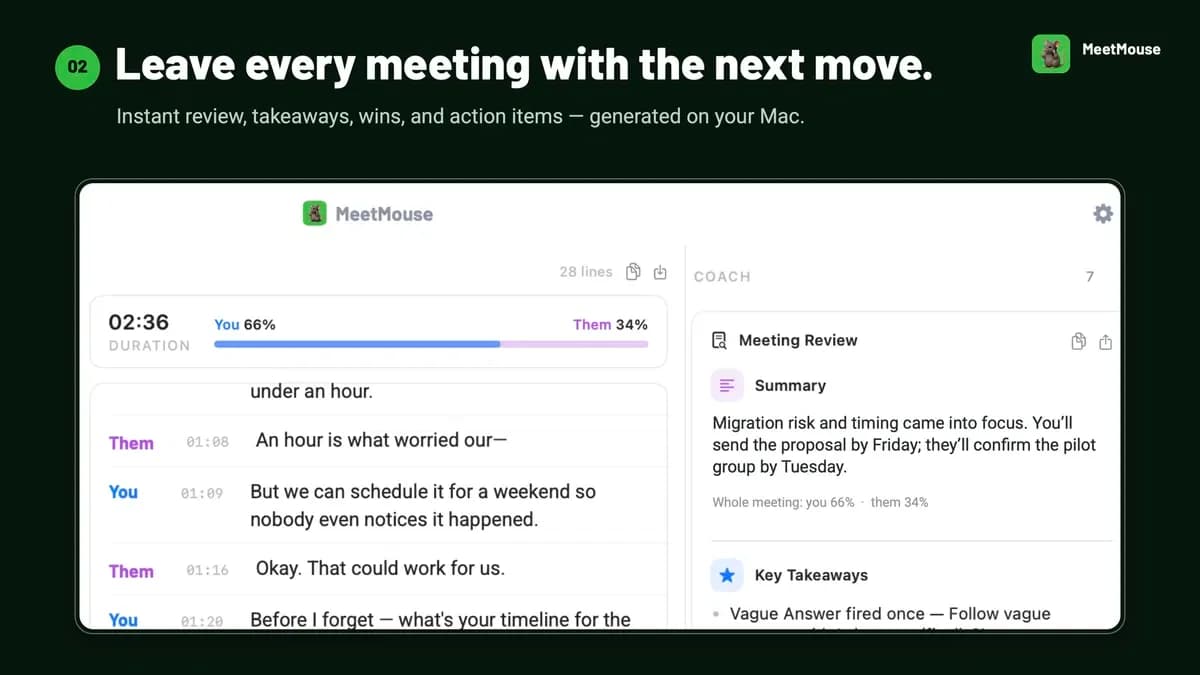
After a long call, the team needs the decisions, owners and follow-up tasks. A raw recording is hard to use unless someone can locate and review those details.
How to use it
- Confirm the meeting can be captured on your Mac and agree on recording with the participants.
- Generate notes from a representative meeting, including the type of vocabulary and speaker overlap you normally encounter.
- Compare the proposed decisions, names and owners with the recording before sharing them as the agreed follow-up.
What this helps you do: The notes can provide a draft follow-up for a person to approve, while the recording remains available to check disputed details.
Limitations: Generated notes can omit or misstate a decision.
Find a detail in an earlier conversation
A colleague may ask what was agreed several meetings ago. Searching saved notes can be useful only if the answer leads back to the right conversation.
How to use it
- Use the meeting-search function described in the official changelog with a concrete topic or decision.
- Open the referenced meeting context rather than relying only on the generated answer.
- Check the detail and its date before using it in a new task or sending it to someone else.
What this helps you do: Search offers a route back to earlier meeting material, which may reduce the need to reread every set of notes.
Limitations: Check retrieved answers against the original meeting and confirm that source references are useful.
BUYER FEEDBACK
What buyers say
Buyer experiences can vary with the plan, product version and workflow.
Notes can help, but language and summary quality need checking
Buyer reports included mixed-language recognition issues, weak summaries and a memory problem. Founder replies and later release notes describe improvements; check the current version with your language mix and Mac.
MeetMouse images
Features are grouped by documented coverage. “Not confirmed” means the evidence is incomplete, not that a feature is absent.
Check each product’s plan notes for tier limits and additional costs. Feature coverage is not a quality rating.


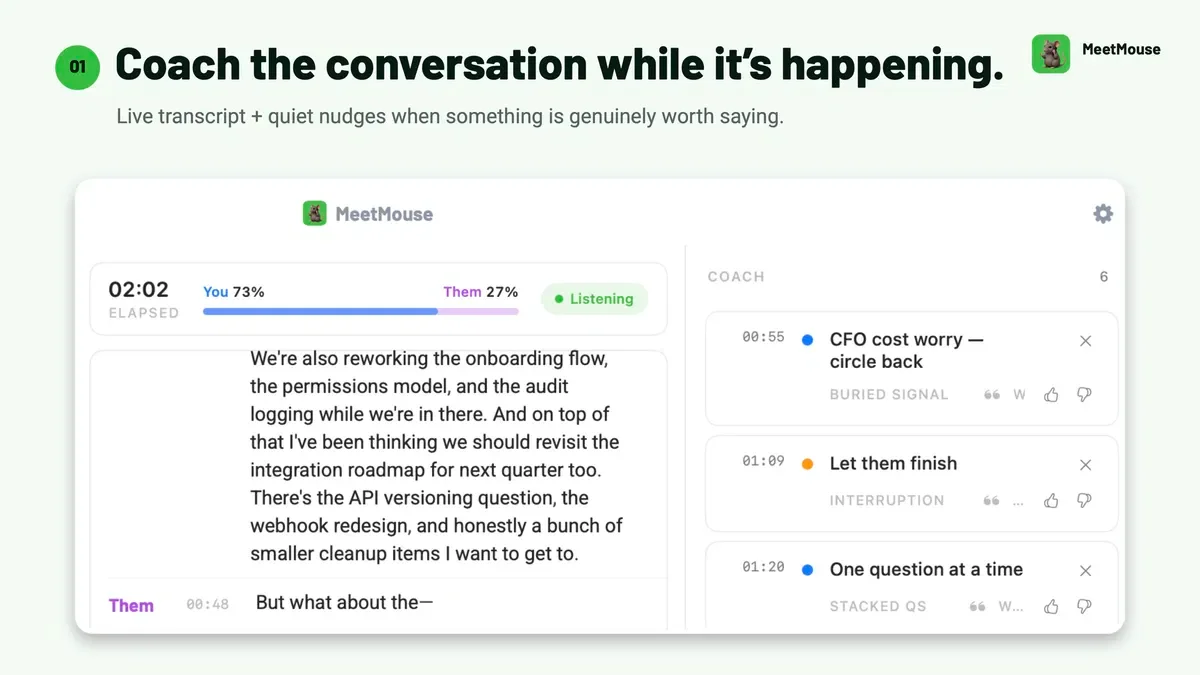
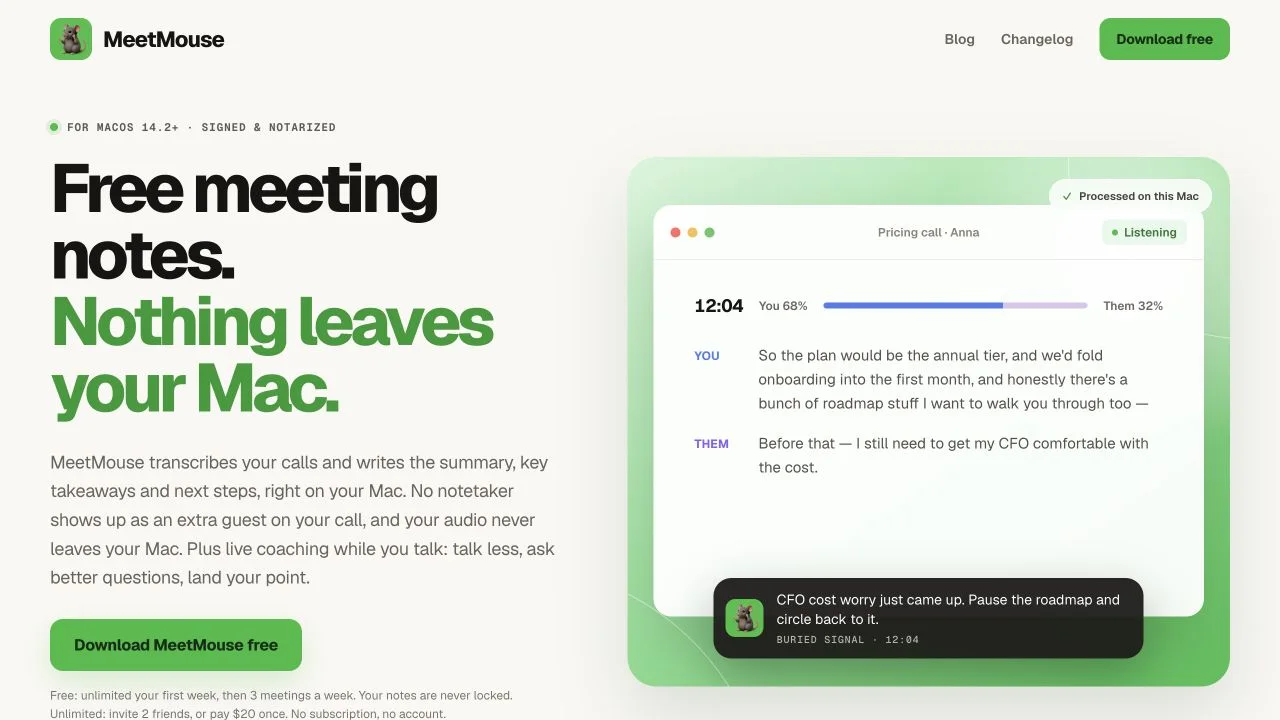
Get live conversation suggestions, meeting notes and follow-up ideas.


Get answers during calls using prepared documents and your own AI provider.
BEFORE YOU BUY
MeetMouse lifetime deal FAQs
Does MeetMouse work on Intel Macs or Windows?
macOS 14.2 or later is required and Apple Silicon is recommended. Intel uses reduced transcription support without the high-accuracy engine or speaker identification; August notes describe English-only transcription on Intel. Windows is not supported.
Can it record FaceTime?
The homepage includes FaceTime, but August 10 release notes say macOS blocks FaceTime and iPhone-call audio capture. The conflicting statements remain unresolved. Confirm your exact workflow before buying for those calls.
How much can I use for free?
The official website describes an unlimited first week, followed by three meetings per week.
Is coaching identical in every language?
No. The changelog describes full English coaching and more limited non-English feedback.