
Client portals
Client task handoff checklist: from request to approved delivery
A client task handoff needs an owner, a reviewable result and a clear next step. Use this checklist to separate personal AI assistance from client access and approval.
In this article
Define the handoff in one sentence
A client task handoff is complete when the next person has the right version, knows what decision to make and can access the material. Sending a message is only one part of that process. A practical description is: “The designer sends the revised page to the account owner, who checks it and asks the client to approve that exact version.”
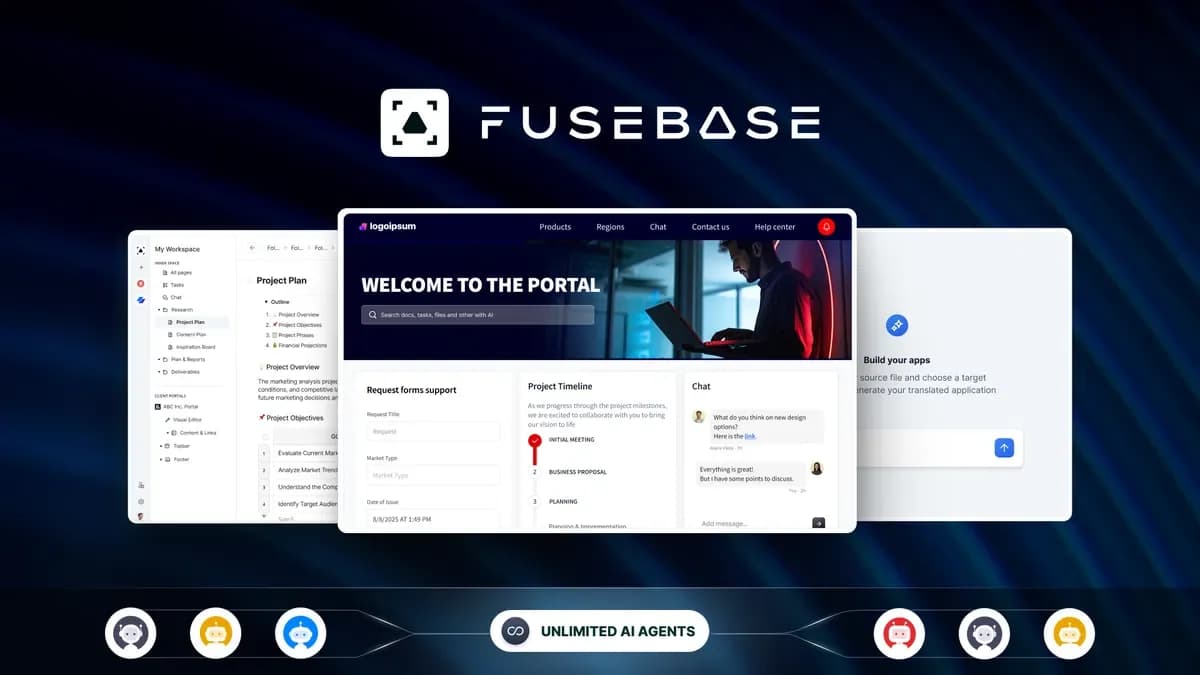
This checklist is for freelancers and small service teams choosing a repeatable process. It uses Acti as an example of personal keyboard-triggered AI assistance and FuseBase as an example of a shared client workspace. These tools have different roles. A direct integration or automated handoff between them is not established.
Begin with one frequent task rather than moving all client work at once. Keep an existing folder and written checklist if those already solve the problem. A portal purchase becomes useful when shared access, recurring requests or locating the approved version has become a real obstacle.
Create a handoff record that a teammate can use
For a recurring task, record the information below in the place your team actually checks. Keep the record short enough to maintain, but do not leave the receiving person to reconstruct the request from an unrelated conversation.
Use this illustrative record as a starting point. Adapt the fields to your job, then check whether your chosen workspace can represent them without confusing the client.
Use AI assistance before the approval step
Acti may help an individual turn rough notes into a readable draft or trigger supported connected actions. Its included credits renew monthly without rollover; the offer does not provide BYOK. Complex actions can have different consumption, so do not count every drafted message as one guaranteed credit.
Use it for a narrowly defined preparation step. For example, ask for a draft summary containing the completed changes and the unresolved question, then compare it with the original request. Remove invented promises, unsupported dates and statements that imply the client already approved something. The person responsible for the work still decides what to send.
The founder distinguishes ordinary typing from material submitted for cloud AI processing. Only submit client information that your agreed process allows. Acti’s unlimited-device wording does not establish a company-wide licence; the recorded entitlement is account-based and non-transferable. A team therefore cannot budget one individual purchase as unlimited staff access.
Choose portal capacity from actual client relationships
FuseBase has separate allowances for staff, client accounts and portals. A staff member maintaining work is not the same thing as a client account viewing it, and a portal is not automatically one person. Write down the three counts before selecting codes.
Consider a hypothetical team with three staff members, four clients and two people at each client. That is three staff, eight client accounts and four portals if each client needs a separate space. The recorded two-code option has 3 staff users, 25 client accounts and 5 portals. Those are capacity checks, not a claim that every required workflow feature is included.
Branding can change the purchase decision: the currently recorded FuseBase offer starts white-label and managed apps at five codes. A smaller team might therefore fit a low code count numerically but need a higher purchase for that feature. Read the FuseBase plan table before treating a low entry price as the total cost of a branded client service.
Check the client view before using real work
Set up one representative job with non-sensitive sample material in your own evaluation. Confirm that the client sees the correct deliverable and cannot access another client’s material. A successful staff view does not prove the client’s permissions are correct.
- Open the shared destination as the intended recipient or use an available preview mode.
- Confirm which version is being reviewed and whether an old link remains confusingly accessible.
- Try a request for changes as well as approval.
- Check what happens when a reviewer does not respond.
- Confirm that a removed participant no longer has the access you intended to withdraw.
- Find the approval record again after completing the job.
Use these acceptance checks to assess the fit for your workflow. If a required formal approval or audit function is not established in the plan, resolve that gap before relying on the tool for it. Do not substitute a general collaboration claim for a specific permission requirement.
Track missing information and approval delays
Choose what happens when a due date slips, a client sends new requirements or a file cannot be opened. A useful fallback is to return the task to its named owner with the exact missing information. Avoid marking a task complete merely because a notification was sent.
For the first few jobs, note how often reviewers ask where to find the file, who should act or which version is final. Those questions identify the part of the process that needs changing. You do not need an invented productivity percentage to decide whether the new workflow is helping.
Review the client portal buying hub for shared-workspace requirements and the workflow automation hub for individual actions and recurring execution. Keep the two decisions connected to the task but separate in the budget. More AI credits cannot fix missing client permissions, and more portals cannot establish that a draft is accurate or approved.