

Who is Subscribr for?
Tier 2 is the first choice for a solo creator who needs recurring script generation. Four ten-minute scripts would use 20 credits at the official example rate, against this tier’s 20 monthly allowance. Tier 3 supports a second channel, a second user and thumbnails. Buy above that only when your channel count or script schedule requires it; included video credits will eventually be spent.
Suitable for
It suits creators who repeatedly research and write YouTube scripts, especially when collaborators need shared channel context.
Consider another option if
It may add little if your existing document editor and AI prompts already produce occasional scripts you are happy with.
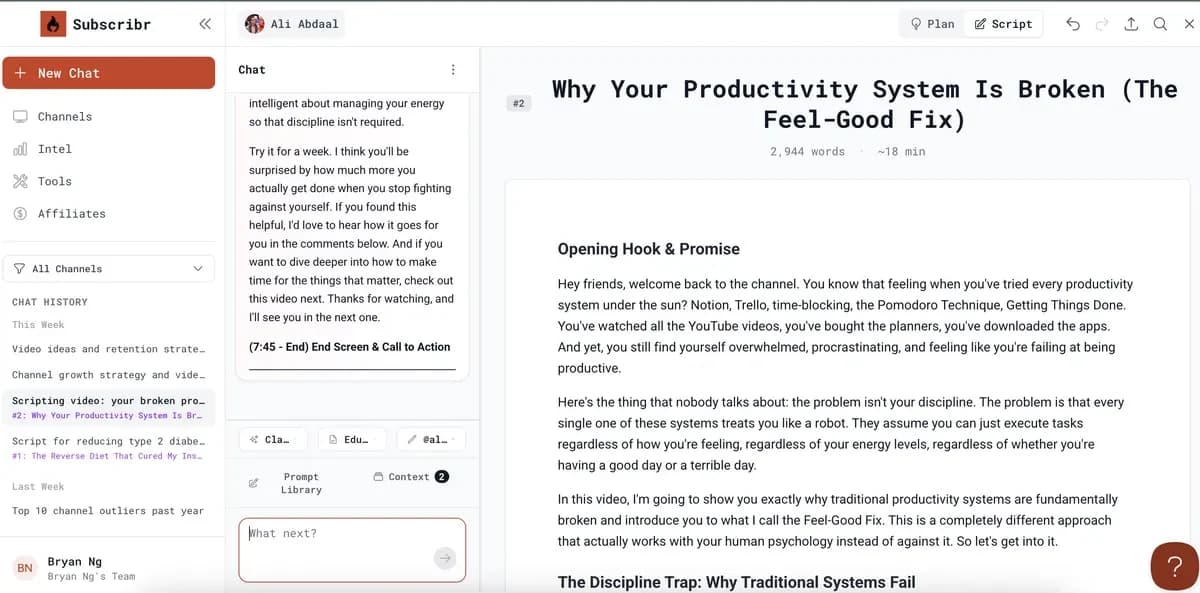
What comes with the lifetime deal?
Every 30 days from activation. Each batch expires at the end of the second calendar month after it was issued.
The official examples use one credit for a short script and five for a ten-minute script. Research, chat, outlines and edits do not spend script credits.
Included video credits are granted once and do not renew. One credit is equivalent to one minute at Standard settings; the actual creation estimate matters.
Extra script credits do not expire while the license remains active. Further video packs are separate purchases.
Lifetime AppSumo entitlements are distinct from the vendor’s newer Growth, Pro and Max subscriptions. The offer has a 60-day refund window.
PLANS AND PRICING
Subscribr plans and pricing
Prices and allowances are shown for each plan below.
Compare each plan’s price and allowance. Confirm any limit marked ‘Not specified’ before buying.
Select the final tier on AppSumo. The product link opens the same listing for every tier.
Costs and limits to account for
- Tier 1 has no recurring script-generation credits
- Included AI video credits are one-time, not monthly
- Views, audience retention and monetization are not guaranteed
FEATURE COMPARISON
Features, limits and paid extras
“Included” and “unlimited” can mean different things. This checklist separates full access, usage limits, add-ons and features that are not confirmed.
2 fully included · 6 limited · 0 add-on · 0 not included · 0 not confirmed. Coverage is not a quality score.
Features are grouped by documented coverage. “Not confirmed” means the evidence is incomplete, not that a feature is absent.
Check each product’s plan notes for tier limits and additional costs. Feature coverage is not a quality rating.
USE CASES
What problems does Subscribr solve?
Keep research and channel voice together while drafting
A creator can spend more time collecting references and rewriting generic output than shaping the video itself.
How to use it
- Define the audience and the specific question the video will answer.
- Supply channel voice examples and gather relevant source material.
- Use ideation and an outline to choose the structure before spending script credits.
- Generate a draft, check factual claims and edit it into a script that can be delivered naturally.
What this helps you do: You reach a script draft with its research and intended voice in the same workflow, ready for factual and spoken-language editing.
Limitations: A strong draft still needs the creator’s examples, factual review and delivery. The tool does not establish that the subject will attract viewers.
Separate writing capacity from finished-video capacity
An included video number can make a plan appear to cover ongoing production when it is a one-time grant.
How to use it
- Write down expected scripts per month and intended video duration.
- Budget script credits separately from monthly thumbnails.
- Use the video creation estimate for resolution and generation settings.
- Treat the included video balance as a finite starting fund, then cost future packs.
What this helps you do: The budget shows which work renews monthly and which video work will need another purchase after the initial grant.
Limitations: The one-credit-per-minute reference is Standard-equivalent capacity, not a promise for every quality setting.
BUYER FEEDBACK
What buyers say
Buyer experiences can vary with the plan, product version and workflow.
Voice alignment takes input
A July reviewer reported useful voice alignment after putting work into the inputs, while asking for a more flexible visual workspace.
Existing AI workflows may overlap
An experienced buyer found parts of Subscribr duplicated their Claude process and questioned outlier selection. That is a reason to compare workflows rather than count features.
Early enthusiasm is not channel performance
An August reviewer liked research and thumbnail help but had not yet published the described channel content. That feedback does not establish traffic or revenue results.
Subscribr images
BEFORE YOU BUY
Subscribr lifetime deal FAQs
Does Subscribr Tier 1 write scripts with monthly credits?
No recurring script-generation credits are included in Tier 1. It is a research and ideation entry tier; Tier 2 is the first tier with a recurring script allowance.
Do the AI video credits renew?
No. The included grant is one-time. Further production needs paid video packs, and chosen output settings affect consumption.
Do script credits roll over forever?
No. Recurring batches expire at the end of the second calendar month after issuance. Purchased script credits have separate nonexpiry terms while the license remains active.
Are script edits charged like a new script?
The official lifetime guide excludes chat, research, outlines and editing from script-credit consumption. A new script generation still needs its applicable allowance.