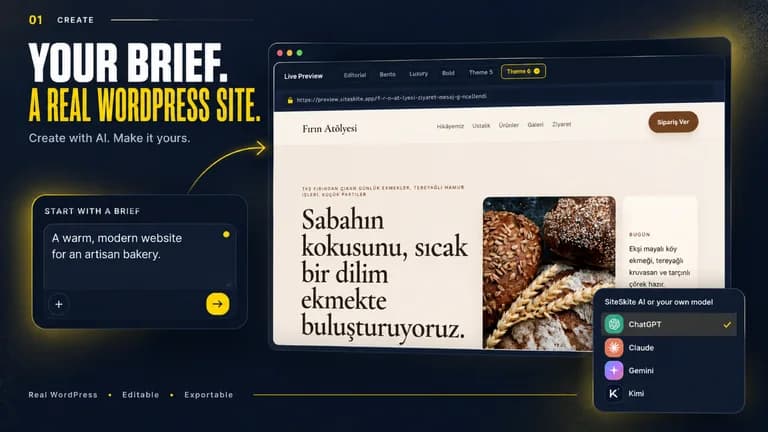
The SiteSkite lifetime deal starts at $29 for one connected WordPress website. The higher tiers add managed sites, storage and AI building capacity. Existing WordPress hosting remains separate, and an AI-generated site allowance is not the number of production websites you can keep connected.
SiteSkite is useful when managing existing WordPress sites is the main job. Tier 1 covers one site and maintenance tools; Tier 2 is the practical starting point for AI Site Studio and own-model access. Higher tiers serve larger portfolios and agency branding. Hosting and careful migration planning remain the owner’s responsibility.
Suitable for
Freelancers managing client WordPress sites; Agencies needing staging and backup workflows; Builders who want WordPress-native output
Consider another option if
Existing hosting remains separate; Full-site migration overwrites the destination database; AI build estimates and connected-site slots are different
What comes with the lifetime deal?
Runtime
Existing WordPress hosting
AI builder
Tier 2 and above
Agency branding
Tier 3 and above
Migration
Whole-site replacement
PLANS AND PRICING
SiteSkite plans and pricing
Prices and allowances are shown for each plan below.
PLAN DETAILS
Compare each plan’s price and allowance. Confirm any limit marked ‘Not specified’ before buying.
SiteSkite plans and limits · USD
Plan comparison4 plans
Tier 1 (Advanced)
Tier 2 (Growth)
Tier 3 (Professional)
Tier 4 (Agency)
PriceUSD
$29one-time
$139one-time
$299one-time
$599one-time
Billing
One-time payment
One-time payment
One-time payment
One-time payment
Connected websites
1sites
10sites
30sites
70sites
Managed storage
2,500MB
25,000MB
75,000MB
175,000MB
Monthly AI credits
500credits/month
3,000credits/month
7,500credits/month
20,000credits/month
Blueprints
3blueprints
5blueprints
10blueprints
20blueprints
AI sites per month, up to
0sites/month
20sites/month
45sites/month
120sites/month
Who this tier fits
Maintain one existing site; no BYOK or AI Site Studio allowance.
Ten connected sites, BYOK and AI Site Studio.
Larger portfolio with white-label plugin and custom demo/report domains.
Up to seventy connected websites with higher shared capacity.
Keep in mind
AI build estimates depend on credit use; external hosting and model bills remain separate.
AI build estimates depend on credit use; external hosting and model bills remain separate.
AI build estimates depend on credit use; external hosting and model bills remain separate.
AI build estimates depend on credit use; external hosting and model bills remain separate.
Plan notes
Maintain one existing site; no BYOK or AI Site Studio allowance.
AI build estimates depend on credit use; external hosting and model bills remain separate.
Ten connected sites, BYOK and AI Site Studio.
AI build estimates depend on credit use; external hosting and model bills remain separate.
Larger portfolio with white-label plugin and custom demo/report domains.
AI build estimates depend on credit use; external hosting and model bills remain separate.
Up to seventy connected websites with higher shared capacity.
AI build estimates depend on credit use; external hosting and model bills remain separate.
Select the final tier on AppSumo. The product link opens the same listing for every tier.
Full-site migration overwrites the destination database
AI build estimates and connected-site slots are different
Start with connected production sites
Tier 1 costs $29 for one connected website, two-and-a-half gigabytes of managed storage, five hundred monthly AI credits and three blueprints. It includes the maintenance, backup and MCP rows, but the rendered table excludes BYOK and provides no AI Site Studio build allowance.
Tier 2 costs $139 for ten connected sites, twenty-five gigabytes, three thousand monthly credits, five blueprints and up to twenty AI-built sites per month. This is the first tier to compare for new AI Site Studio work or your own model provider.
Tier 3 covers thirty sites with seventy-five gigabytes and up to forty-five AI builds; Tier 4 covers seventy sites with one hundred seventy-five gigabytes and up to one hundred twenty builds. White-label plugin branding and custom report/demo domains start at Tier 3. Choose based on your current clients and storage needs, not only the potential number of generated demos.
An AI build is not a connected-site slot
The October 31 founder clarification distinguishes three things: existing WordPress sites connected through the plugin, new sites generated in AI Site Studio and the agency’s custom report/demo domains. A Tier 2 user can manage ten existing sites on their own real domains despite the table excluding the custom-domain branding feature.
The “up to” AI build counts depend on credits consumed by the generation and later refinements. Twenty complicated builds are not guaranteed merely because the table says twenty. Budget unsuccessful iterations and editing alongside initial generation.
Own-model access changes where model usage is billed. It does not automatically expand connected sites, managed storage or blueprint capacity. The exact credit accounting under BYOK should be checked for the chosen workflow before promising unlimited client builds.
Use the right editor for an existing WordPress site
AI Site Studio creates new WordPress sites and refines them inside its Studio sandbox. The founder distinguishes that from editing an existing site or its clone, which uses the connected plugin, MCP and advanced AI tools. Treating these as one interchangeable editing mode creates false expectations.
For Elementor, the October founder answer points to Claude through SiteSkite MCP and its Elementor tools. Studio itself currently generates Gutenberg/block-editor sites; it does not automatically convert its output into Elementor. Available actions also depend on permissions and supported tools rather than unrestricted control of every plugin.
A useful evaluation is a small content/layout change on a clone, followed by checking the original forms, navigation and plugin behavior. That verifies the actual maintenance task.
A full migration is not a design-only merge
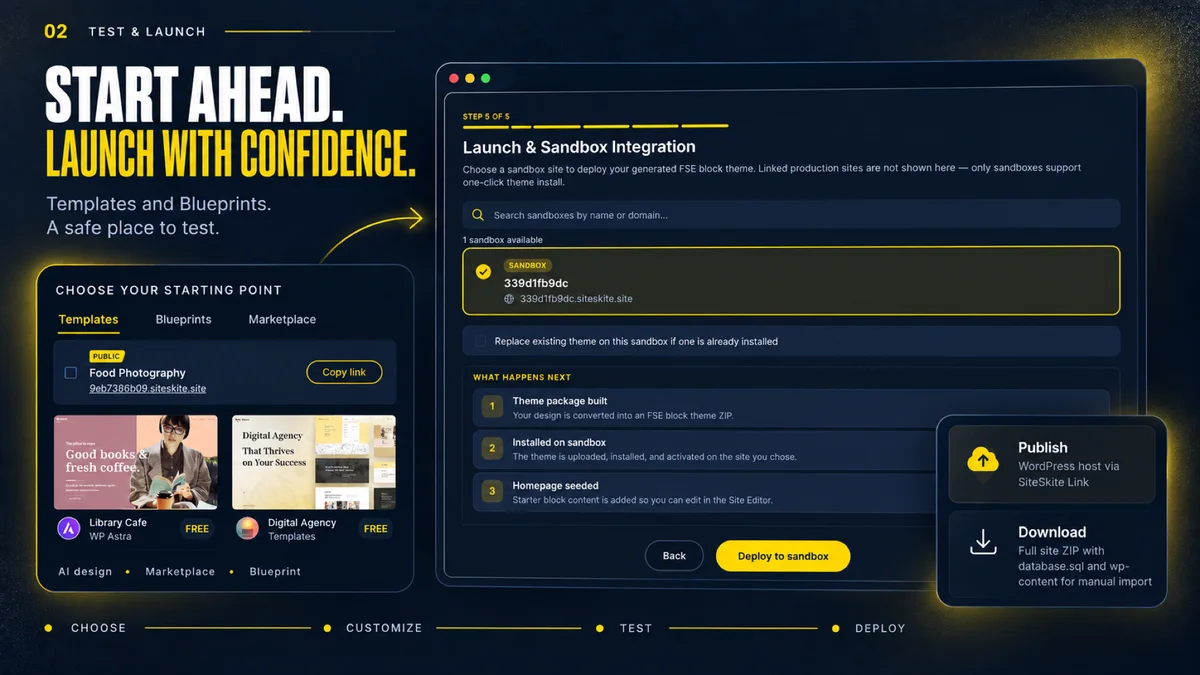
The founder explicitly says a finished sandbox can be migrated to your host, but a full migration transfers the entire site, including plugins and database, and overwrites production. It does not merge only new design changes while preserving newer live records and settings.
That distinction is critical for a shop, membership site or lead-generation site receiving fresh data while a redesign is underway. Plan how to preserve those changes before choosing the migration route. A visual preview does not prove the destination database is safe to replace.
After migration, ongoing AI edits use the plugin/MCP workflow. AI Site Studio does not continue editing the external-host copy as if it were still the Studio sandbox. The founder says public output has no SiteSkite badge; retaining the plugin is necessary for continuing management and MCP functions.
Check recovery and storage as a complete workflow
Plans list classic and incremental backups plus bring-your-own cloud storage. The founder says SiteSkite-managed backups are encrypted and stored in the EU, with own-storage options for customers who need another account or region. This is vendor-stated architecture, not an independent security audit.
Estimate the backup footprint of database, uploads and retained versions. A single photo-heavy site may matter more than several brochure sites. Managed storage is finite, and connecting your own cloud account can add its own storage, transfer and recovery costs.
Evaluate recovery on a disposable environment: create a backup, make a known change and restore the intended state. An existing backup record is not proof that recovery works for every host and plugin combination. Production hosting, premium WordPress extensions and domain renewal stay outside this management licence.
Choose WordPress operations rather than a generic site builder
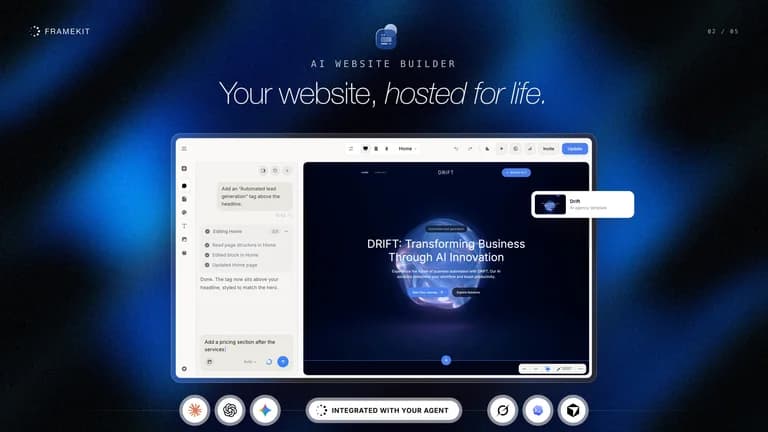
Framekit is a different choice for hosted creative portfolios, galleries and video feedback. SiteSkite makes more sense if WordPress ownership, existing hosting and client maintenance are central. If you only maintain one simple site, WordPress’s own administration plus an existing host’s backups may already cover the required work.
The AppSumo offer allows four tiers, no code stacking and activation within sixty days. The current site describes a free trial, but trial access does not prove every lifetime-tier feature. The exact tier checkmarks remain the buying reference.
Available buyer feedback is limited and does not establish performance across every host and plugin combination. The detailed founder explanations clarify the different editing and migration workflows, but they are not a substitute for evaluating recovery and compatibility on your own disposable test site.
FEATURE COMPARISON
Features, limits and paid extras
“Included” and “unlimited” can mean different things. This checklist separates full access, usage limits, add-ons and features that are not confirmed.
Feature coverage2 / 8
2 fully included · 4 limited · 0 add-on · 1 not included · 1 not confirmed. Coverage is not a quality score.