

Who is FormDesigner for?
Choose the single-code deal for a modest-volume calculator or client intake process that needs custom logic and styling. Do not buy it on the assumption that the advertised submission count also covers the same number of fully automated workflows: integration actions and notification emails can run out first. For a file-heavy service, calculate retained storage before moving existing forms.
Suitable for
A solo operator building conditional quotes or intake workflows within the included counters.
Consider another option if
A file-heavy intake service or high-volume automation that needs predictable overage pricing.
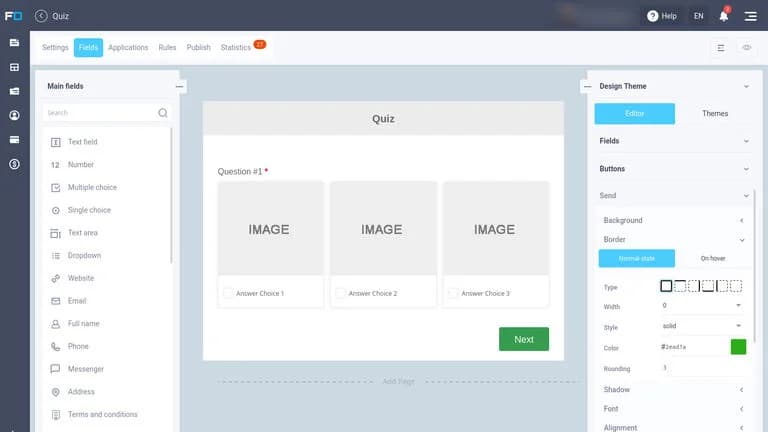
What comes with the lifetime deal?
$59; one non-stackable code level
1,000 submissions per month
500 MB shared by the account
50 AI credits; reset and expiry not established
Redeem within 60 days; the listing gives a 60-day refund window.
The offer includes future FormDesigner updates. Extra capacity is separately chargeable.
PLANS AND PRICING
FormDesigner plans and pricing
Prices and allowances are shown for each plan below.
Compare each plan’s price and allowance. Confirm any limit marked ‘Not specified’ before buying.
Select the final tier on AppSumo. The product link opens the same listing for every tier.
Costs and limits to account for
- 500 MB is shared retained storage; Google Drive copies do not remove the originals.
- Several integrations per submission can exhaust the action allowance before the submission allowance.
- Extra-capacity prices and lifetime AI reset rules are not established in the public offer.
FEATURE COMPARISON
Features, limits and paid extras
“Included” and “unlimited” can mean different things. This checklist separates full access, usage limits, add-ons and features that are not confirmed.
7 fully included · 3 limited · 0 add-on · 0 not included · 2 not confirmed. Coverage is not a quality score.
Features are grouped by documented coverage. “Not confirmed” means the evidence is incomplete, not that a feature is absent.
Check each product’s plan notes for tier limits and additional costs. Feature coverage is not a quality rating.
USE CASES
What problems does FormDesigner solve?
Estimate a custom quote before accepting an enquiry
A fixed contact form sends every enquiry to a person who must calculate the same pricing rules.
How to use it
- List the inputs that change the quote, including conditions that require manual review.
- Build numeric fields and formulas, then use branches to ask only the questions needed for that service.
- Send the calculated estimate with the contact details to the appropriate destination.
What this helps you do: A prospect can submit the information needed for an initial quote in one flow.
Limitations: Treat the output as an estimate unless taxes, exclusions and exceptional cases are fully represented.
Route intake details and files into a working system
Customer details arrive by email while supporting files are kept in a separate folder.
How to use it
- Confirm the destination’s account and permissions before connecting it.
- Add required intake fields and constrain file uploads to a useful size.
- Connect Drive and the destination webhook; then track both action usage and retained originals.
What this helps you do: The intended result is one intake form that sends structured information and supporting files to the next stage.
Limitations: Two connected actions consume more capacity than one submission, and copied files still occupy FormDesigner storage.
BUYER FEEDBACK
What buyers say
Buyer experiences can vary with the plan, product version and workflow.
Useful integrations and complex forms
AppSumo buyers described SendFox connections, webhooks and custom form behaviour. These are individual accounts, not measured performance or a guarantee that a specific integration fits every workflow.
Flexibility with a learning cost
Two of those reviewers wanted a more modern or friendlier interface. A separate two-taco review asked for clearer lifetime-plan information in billing. The founder acknowledged the reviews, but whether the interface changes resolve those concerns remains unclear.
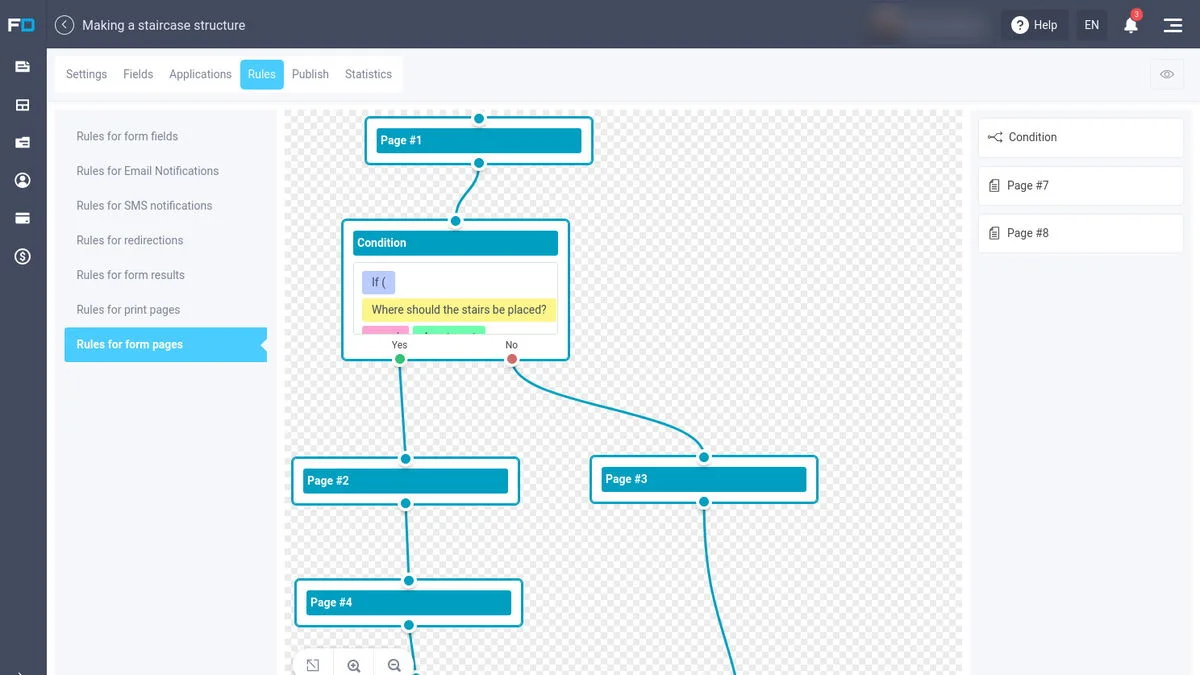
FormDesigner images
ALTERNATIVES
FormDesigner alternatives and comparisons
Features are grouped by documented coverage. “Not confirmed” means the evidence is incomplete, not that a feature is absent.
Check each product’s plan notes for tier limits and additional costs. Feature coverage is not a quality rating.


Create surveys, scored quizzes and forms that accept payments.
BEFORE YOU BUY
FormDesigner lifetime deal FAQs
Can I stack FormDesigner codes for higher limits?
No. The AppSumo terms say the deal is not stackable. Extra capacity is purchased separately, with current prices not established in the public evidence.
Will sending uploads to Google Drive free FormDesigner storage?
No. The founder says the files remain in FormDesigner as well. You can remove older files manually, but the reviewed answer does not offer automatic deletion.
Does a submission use one integration action?
Not necessarily. The founder gives Drive upload plus webhook as two actions. Calculate the number of integration steps, not only completed forms.
Do the AI credits reset every month?
The lifetime listing gives an allowance but does not establish its reset or expiry. Do not assume it is a recurring monthly entitlement.
Is this the same as the regular Platinum subscription?
Do not assume it is. The founder-linked Platinum+ tariff describes the deal’s limits, while the current Platinum subscription advertises different capacity. Use the lifetime table for this purchase.
What should I confirm before using it for paid bookings?
Confirm the payment provider, booking rules, notification allowance and refund handling for your use case. The existence of booking and payment features is not proof that a particular multi-staff scheduling workflow is supported.