Sales outreach
Live

Flow AI lifetime deal

The Flow AI lifetime deal starts at $69 for one connected LinkedIn account. It combines prospect lists, outreach and reply handling. Choose it for a LinkedIn sales process only after checking the daily activity limits and the fields you need to export.

STARTING PRICE

$69one-timeBuy now
Table of contents

Who is Flow AI for?

Tier 1 covers a single account even when you organize several audiences or campaigns. Buy Tier 2 or 3 for additional account owners, not to increase one person’s daily search allowance. If verified email addresses are the main reason for buying, wait for a clear enrichment quota and price; the standard export does not establish that requirement.

Suitable for

Sales teams that use LinkedIn conversations and need prospect lists and replies organized together.

Consider another option if

Buyers whose main requirement is a confirmed verified-email database or guaranteed protection from LinkedIn restrictions.

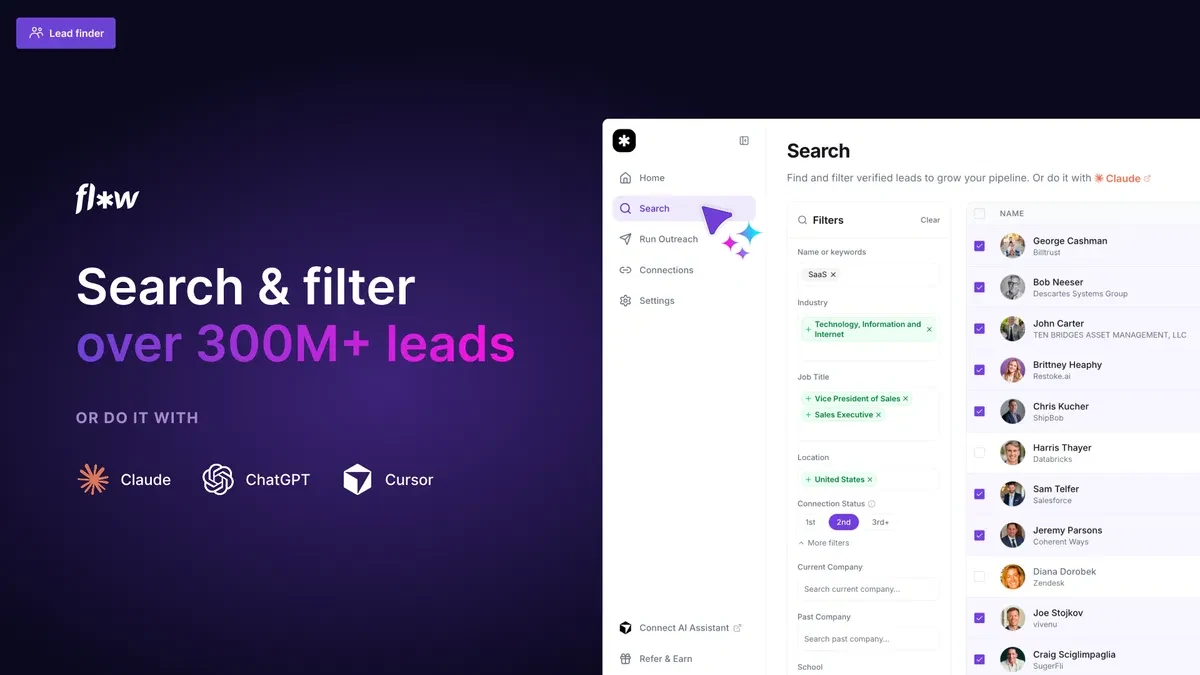
Flow AI integrations and shared-inbox illustration supplied by the vendor on AppSumo.

What comes with the lifetime deal?

Deal status

Available

Payment

One-time purchase for the selected connected-account allowance. Email enrichment and any outside sales tools need their own cost check.

Refund and activation

The AppSumo terms require activation within 60 days and list a 60-day refund period.

PLANS AND PRICING

Flow AI plans and pricing

Prices and allowances are shown for each plan below.

PLAN DETAILS

Compare each plan’s price and allowance. Confirm any limit marked ‘Not specified’ before buying.

Flow AI plans and limits · USD
Plan comparison3 plansLicense Tier 1License Tier 2License Tier 3
PriceUSD$69one-time$149one-time$279one-time
BillingOne-time paymentOne-time paymentOne-time payment
Connected accounts1310
Flow Database results per account per day150results / account / day150results / account / day150results / account / day
Default invitations per account per day15invitations / account / day15invitations / account / day15invitations / account / day
Who this tier fitsOne connected LinkedIn accountTwo or three connected accountsFour to ten connected accounts
Keep in mindConfirm email enrichment before buying for email prospecting.Extra account slots do not raise per-account limits.Use legitimate account owners; no platform-safety guarantee.
Plan notes
  • Core API/MCP, lead finder, inbox and CRM are included.
  • Per-account defaults and platform restrictions still apply.
  • Verified-email enrichment entitlement and charge remain unconfirmed.
  • Core API/MCP, lead finder, inbox and CRM are included.
  • Per-account defaults and platform restrictions still apply.
  • Verified-email enrichment entitlement and charge remain unconfirmed.
  • Core API/MCP, lead finder, inbox and CRM are included.
  • Per-account defaults and platform restrictions still apply.
  • Verified-email enrichment entitlement and charge remain unconfirmed.

Select the final tier on AppSumo. The product link opens the same listing for every tier.

Costs and limits to account for

  • Standard CSV exports list names, roles, companies and LinkedIn URLs. Verified-email quantities and charges remain unconfirmed.
  • The founder offers no guarantee against LinkedIn restrictions; higher tiers do not remove that risk.

Connected accounts and per-account limits

The three tiers include one, three and ten connected LinkedIn accounts. According to the founder, the lead database, API/MCP and core automation are common to all tiers. A single seller should therefore not need Tier 2 just to run a second audience list.

Two team members each connecting their own account point to Tier 2. Four account owners point to Tier 3. An extra unused account slot does not raise the limit on the account you already connected, and account capacity should not be interpreted as a confirmed number of separate administrative user seats.

Buy account capacity, not an assumed bigger per-person quota
Operating requirementSmallest tierWhat it does not change
One account, several prospect listsTier 1Per-account usage defaults
Two or three connected accountsTier 2Quality or completeness of exported records
Four to ten connected accountsTier 3Platform restrictions or email-enrichment entitlement

What a daily search allowance lets you plan

The founder gives 150 Flow Database results per account each day, with the same per-account allowance across all three tiers. For an illustrative 20 research days, that is 3,000 results per account before duplicates or suitability checks. It is not 3,000 guaranteed unique or qualified prospects.

Plan research around the accounts people will actually use. An unused account slot does not add searches to your busiest seller’s account. If one person repeatedly reaches the daily ceiling, buying additional account slots does not answer that problem.

Database results and outreach actions have different limits

The founder lists daily defaults of 15 invitations, 80 profile visits, 80 post likes and about 30 direct messages per account. Researching a prospect does not mean you can immediately invite or message them; plan the next action within its own limit.

These defaults are set by the vendor. They are not LinkedIn’s approval of the activity or a guarantee that it is safe for a particular account. Review the audience and messages with the account owner, and do not treat a higher lifetime tier as permission to increase every account’s activity.

A LinkedIn export is not a finished email campaign list

A detailed buyer review described difficulty finding the export control. The founder says saved lists can be exported from Outreach and confirms the standard CSV fields: name, role, company and LinkedIn URL. That is useful for a LinkedIn workflow but insufficient when a campaign needs verified email addresses.

A separate buyer asks whether verified-email access costs an additional monthly fee; the question remains unanswered. The mentioned price is not a confirmed charge, and email-data inclusion remains unclear. If email outreach is the main use case, establish the exact enrichment quota and cost before buying.

Extra costs and unconfirmed features

Budget only the external services your sales process actually uses, such as a LinkedIn subscription, a separate CRM, email enrichment or an AI assistant. The lifetime payment does not cover those bills merely because they can be part of the workflow.

The founder declines to guarantee that a connected account will avoid restrictions. Before automating important conversations, decide who reviews targeting and messages and what the team will do if an account is restricted. More account slots do not reduce that risk for each account.

FEATURE COMPARISON

Features, limits and paid extras

“Included” and “unlimited” can mean different things. This checklist separates full access, usage limits, add-ons and features that are not confirmed.

Feature coverage4 / 7

4 fully included · 2 limited · 0 add-on · 0 not included · 1 not confirmed. Coverage is not a quality score.

IncludedLimitedPaid add-onNot includedNot confirmed

Features are grouped by documented coverage. “Not confirmed” means the evidence is incomplete, not that a feature is absent.

Sales outreach: documented features and conditions
FEATURESFeature comparisonFlow AILifetime deal
Included4 features
Prospect discovery
Included

Filter and save prospect lists; the founder states 150 Flow Database results per account per day.

LinkedIn sequences
Included

Campaigns and lists are not tier-capped in the founder answer; account activity limits still apply.

Shared inbox and CRM
Included

Centralize replies and track next steps.

API and MCP
Included

Included on all three tiers.

Limited2 features
CSV exports
Limited

Standard CSV contains name, role, company and LinkedIn URL. Email enrichment is a separate question.

Multiple senders
Limited

Tiers 2–3 accommodate multiple connected accounts.

Not confirmed1 feature
Verified business emails
Not confirmed

An unanswered buyer question raises a separate paid email option; included quantities and current charge are unconfirmed.

Check each product’s plan notes for tier limits and additional costs. Feature coverage is not a quality rating.

USE CASES

What problems does Flow AI solve?

01

Keep prospect research and follow-up together

When one person researches prospects and another handles replies, a spreadsheet alone can lose the reason for contacting someone or the next agreed action.

How to use it

  1. Define one audience and inspect a small saved list for relevant roles and companies.
  2. Assign the outreach to the correct connected account and review the message before scheduling follow-up.
  3. Use the inbox and CRM to record replies and decide which conversations need a person’s response.

What this helps you do: The team can keep prospect context and the next follow-up with the conversation rather than reconstructing them from separate lists.

Limitations: The documented inbox and list features do not establish message quality, conversion rates or protection from LinkedIn restrictions.

BUYER FEEDBACK

What buyers say

Buyer experiences can vary with the plan, product version and workflow.

Flow AI or a different prospecting workflow?

For a small named list of prospects, manual LinkedIn research and messages may be enough. Flow AI becomes a stronger candidate when several account owners repeatedly need saved lists and a shared process for replying and following up.

If your next step is email rather than LinkedIn, compare a data tool with confirmed email fields, verification and export rights. For another LinkedIn outreach tool, compare the accounts included, daily per-account activity and reply handling. A larger total database or account count does not answer those questions.

IncludedLimitedPaid add-onNot includedNot confirmed

Features are grouped by documented coverage. “Not confirmed” means the evidence is incomplete, not that a feature is absent.

Sales outreach: documented features and conditions
FEATURESFeature comparisonFlow AILifetime dealTexAuLifetime deal
Included in every compared tool1 feature
Prospect discoveryFilter and save prospect lists; the founder states 150 Flow Database results per account per day.
Included

Filter and save prospect lists; the founder states 150 Flow Database results per account per day.

Included

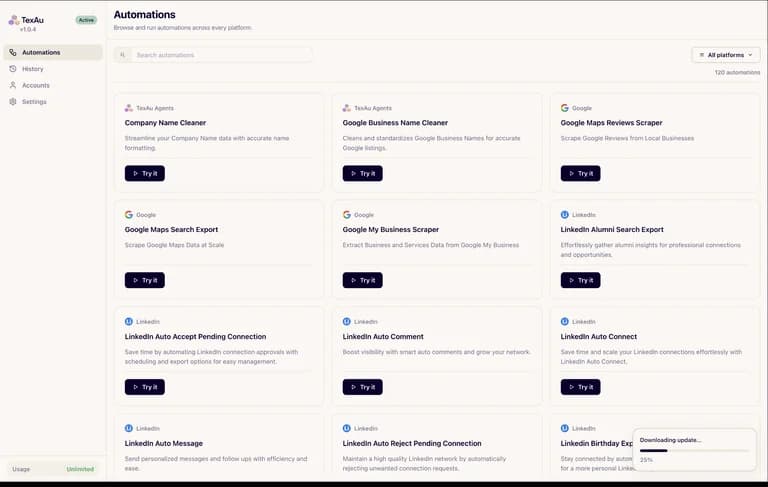
Ready-made extraction automations including LinkedIn and Maps.

Where coverage differs2 features
LinkedIn sequencesCampaigns and lists are not tier-capped in the founder answer; account activity limits still apply.
Included

Campaigns and lists are not tier-capped in the founder answer; account activity limits still apply.

Limited

Desktop connection and messaging automations subject to platform rules.

CSV exportsStandard CSV contains name, role, company and LinkedIn URL. Email enrichment is a separate question.
Limited

Standard CSV contains name, role, company and LinkedIn URL. Email enrichment is a separate question.

Included

CSV inputs and exported results.

Shared limitations and conditions1 feature
Multiple sendersTiers 2–3 accommodate multiple connected accounts.
Limited

Tiers 2–3 accommodate multiple connected accounts.

Limited

Unlimited connected accounts, but machine and concurrency limits remain.

Evidence still incomplete3 features
Shared inbox and CRMCentralize replies and track next steps.
Included

Centralize replies and track next steps.

Not confirmed

A shared reply inbox was not established for this desktop licence.

API and MCPIncluded on all three tiers.
Included

Included on all three tiers.

Not confirmed

Do not transfer V 3 API/MCP entitlements to the desktop offer.

Verified business emailsAn unanswered buyer question raises a separate paid email option; included quantities and current charge are unconfirmed.
Not confirmed

An unanswered buyer question raises a separate paid email option; included quantities and current charge are unconfirmed.

Not confirmed

No included verified-email enrichment allowance established for this offer.

Check each product’s plan notes for tier limits and additional costs. Feature coverage is not a quality rating.

TexAu desktop automation library with source-specific tasks
Live
Sales outreach

TexAu

Run prospecting and data-collection automations on your own computer.

GOOD FOROperators collecting structured business research
$69 / once

BEFORE YOU BUY

Flow AI lifetime deal FAQs

Do I need Tier 2 to run two lists?

The founder says campaigns and lists are not capped by tier. The main upgrade reason is additional connected accounts.

Does Tier 3 give one account a larger daily database allowance?

The founder gives the same allowance for each tier: 150 Flow Database results per account per day.

Are emails included in standard CSV exports?

The founder lists name, role, company and LinkedIn URL as the standard fields. Verified-email enrichment quantities and charges remain unconfirmed.

Can Flow guarantee that LinkedIn will not restrict my account?

No. The founder explicitly says there are no guarantees.

Is this the dictation app called Flow?

No. This article covers the LinkedIn outreach product at chooseflow.ai.

Related buying recommendations