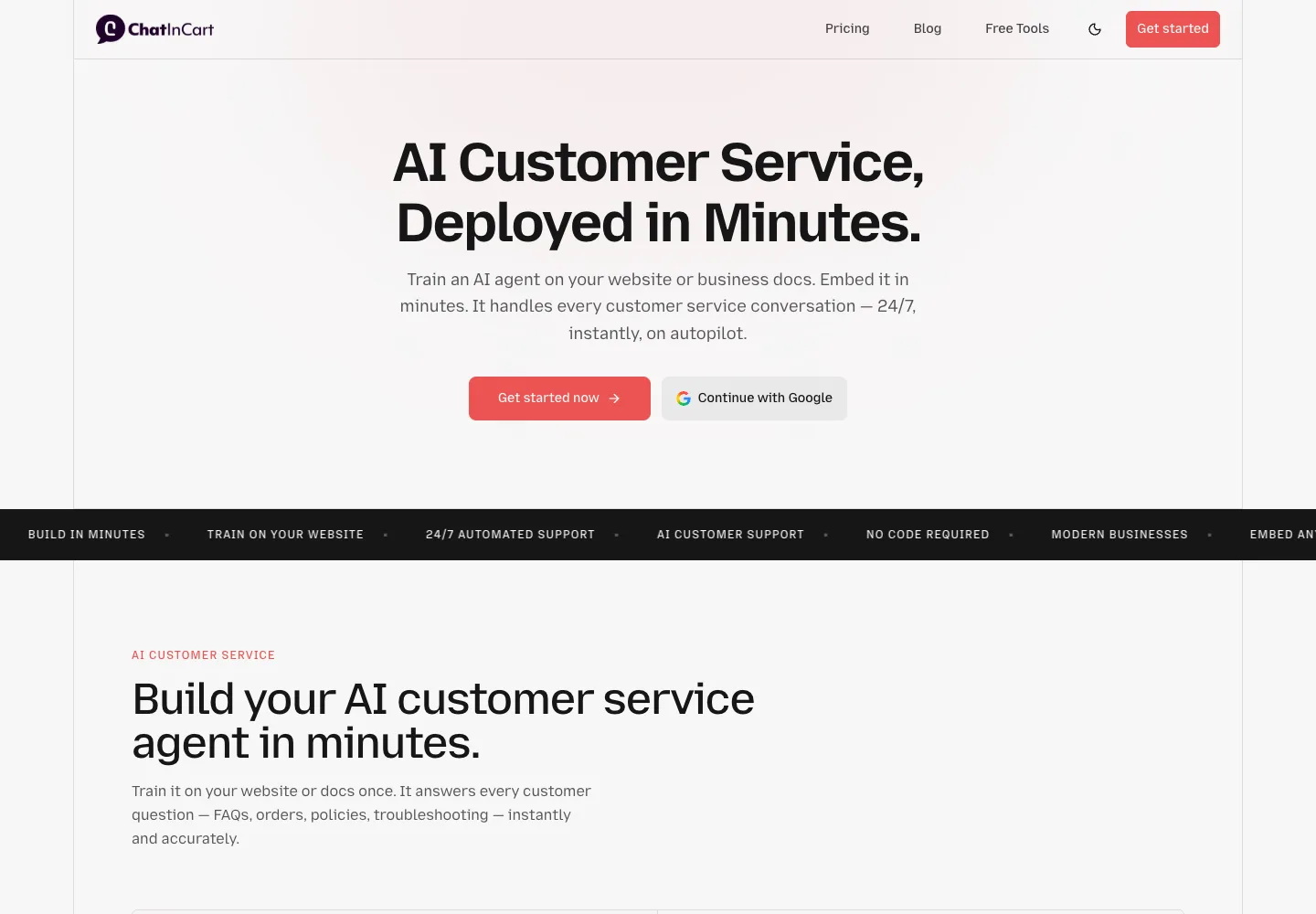
ChatInCart is a website assistant you train on selected pages and files, with an inbox for human takeover. Its cheapest lifetime tier is suitable for answering questions; connected actions change which tier you need.
Start with Tier 1 for a small FAQ assistant only if its message allowance fits. Choose Tier 2 when a supported integration is essential, and Tier 3 for custom API actions. The public offer leaves human seats and detailed message-accounting rules unresolved, so it is too early to treat this as a replacement for a busy team helpdesk.
Suitable for
Businesses with a small, maintained set of answers and a person available for escalations.
Consider another option if
Agencies assuming five AI agents means five separate client accounts, or teams needing a proven multichannel helpdesk.
What comes with the lifetime deal?
Access
Lifetime access with future plan updates; activate within 60 days.
Tier changes
Three licence tiers; upgrades/downgrades are allowed by the deal terms. No code stacking.
Refund
60-day refund shown on AppSumo. The Radar listing is not covered by We Got Your Back.
Usage units
Monthly messages, AI agents per workspace, source count and storage per agent are separate limits.
PLANS AND PRICING
ChatInCart plans and pricing
Prices and allowances are shown for each plan below.
PLAN DETAILS
Compare each plan’s price and allowance. Confirm any limit marked ‘Not specified’ before buying.
ChatInCart plans and limits · USD
Plan comparison3 plans
For a small content-only website assistantLicense Tier 1
For supported integrationsLicense Tier 2
For a custom API workflowLicense Tier 3
PriceUSD
$45one-time
$100one-time
$150one-time
Billing
One-time payment
One-time payment
One-time payment
AI agents per workspace
1agents / workspace
3agents / workspace
5agents / workspace
Messages per month
1,000messages / month
10,000messages / month
20,000messages / month
Data sources
5data sources
10data sources
15data sources
Storage per agent
50MB / agent
250MB / agent
500MB / agent
Who this tier fits
A business that can work without integrations or custom API actions.
A business that needs an included app integration and more message capacity.
A business that needs to connect an API action to the assistant.
Keep in mind
Confirm message counting and source handling before relying on the allowance.
Custom API actions remain excluded; human staff seats are not established.
Check the exact action, third-party charges and client permissions. More agents do not imply more staff seats.
Plan notes
No integrations or custom API actions.
Staff-seat count and workspace allowance are not specified.
The message counter scope, rollover and top-up terms need confirmation.
Integrations included; custom API actions excluded.
Staff-seat count and workspace allowance are not specified.
The message counter scope, rollover and top-up terms need confirmation.
Integrations and custom API actions included.
Staff-seat count and workspace allowance are not specified.
The message counter scope, rollover and top-up terms need confirmation.
Select the final tier on AppSumo. The product link opens the same listing for every tier.
Integrations start at Tier 2; custom API actions start at Tier 3.
Human staff seats, message counting rules and lifetime add-on eligibility are not established.
AppSumo buyer feedback is limited; evaluate the workflow before committing.
Choose the tier for the action you need
Tier 1 costs $45 once and includes 1,000 messages per month. The current table explicitly excludes integrations and custom API actions. It can fit a website assistant answering from your content, but not a purchase whose main purpose is to call another app.
Tier 2 costs $100 once and adds integrations, 3 AI agents per workspace and 10,000 messages per month. It still excludes custom API actions. Tier 3 costs $150 once and is the first level with those actions. Confirm that your exact operation is supported; a Shopify or Stripe logo does not establish every order-management or payment task.
Messages are not the same as customer conversations
The listing uses messages per month but does not explain whether a customer message, AI reply, human reply or action consumes the allowance. It also does not clearly state whether the allowance is shared by all assistants or granted to each. Until that is confirmed, do not multiply the displayed message allowance by the number of agents.
For planning, take a sample of your real support enquiries and count the back-and-forth. If a typical enquiry contains five customer turns and five replies, that is ten message events. This is a conservative workload illustration, not a confirmed ChatInCart billing rule. Clarify counting, reset date, rollover and what happens at the cap before moving an existing support queue.
Check source count and storage before importing your help centre
Tier 1 lists 5 data sources and 50 MB of storage per agent. Higher tiers expand both, but the offer does not define whether every crawled page is a separate source or whether a website scan counts as one. A large site can fail the source-count test even when its files fit the storage limit.
Start with the pages customers actually need: service scope, delivery, refunds and troubleshooting. Remove conflicting old policies before training. Automatic website refresh timing is not established, so assign someone to update the assistant when policies change. More storage does not fix contradictory instructions.
The direct add-on menu is not a lifetime entitlement
ChatInCart’s direct pricing page advertises extra messages at $10 per month for 750, extra sources at $10 per month for five, and branding removal at $25 per month. These are recurring add-ons shown for its direct service. Their availability and pricing for AppSumo lifetime accounts are not confirmed. Do not count them as included or assume they will be available at the same price.
An integration can also depend on a paid account elsewhere. Booking, CRM or support software keeps its own charges. The offer does not require a separate model API key in its public plan table, but that is insufficient evidence to promise that every model or future AI action will remain free. Request an explicit answer for the workflow you intend to run.
The direct add-on menu is not a lifetime entitlement
Possible cost
What the evidence establishes
Buying implication
Additional messages
Direct add-on: $10/month per 750; LTD eligibility unconfirmed
Do not buy a low tier assuming cheap top-ups.
Extra data sources
Direct add-on: $10/month per five; LTD eligibility unconfirmed
Count your sources before choosing a tier.
Branding removal
Direct add-on: $25/month; LTD inclusion unconfirmed
Portal colours do not prove vendor-brand removal.
Connected software
Each third-party service has its own account requirements
Keep those bills in the total budget.
AI agents do not establish human seats or client rights
An AI agent is the trained assistant shown in ChatInCart’s pricing. The offer’s agents-per-workspace number is not a human staff-seat count. Workspace quantity, independent client permissions and resale rights are not set out in the material reviewed. A Tier 3 purchase therefore should not be described as five client licences.
For one owner operating a website, this may not be an obstacle. For an agency or shared support team, it is a purchase condition: clarify staff invitations, who can see each conversation and whether each unrelated client needs a separate licence.
What can be decided before a product trial
The observed AppSumo page had no buyer reviews and the questions page had no published questions. That leaves no buyer sample to support a claim about reliability, support response times or answer quality. Several search-result reviews describe pricing or features that disagree with the live product pages; those claims are not used here.
A useful evaluation would check five ordinary questions, two questions missing from the source material, a changed policy and a human takeover. For an API workflow, add a failed action and confirm what the customer sees.
FEATURE COMPARISON
Features, limits and paid extras
“Included” and “unlimited” can mean different things. This checklist separates full access, usage limits, add-ons and features that are not confirmed.
Feature coverage4 / 11
4 fully included · 2 limited · 0 add-on · 0 not included · 5 not confirmed. Coverage is not a quality score.
Features are grouped by documented coverage. “Not confirmed” means the evidence is incomplete, not that a feature is absent.
Customer support: documented features and conditions
FEATURESFeature comparison
ChatInCartLifetime deal
Included4 features
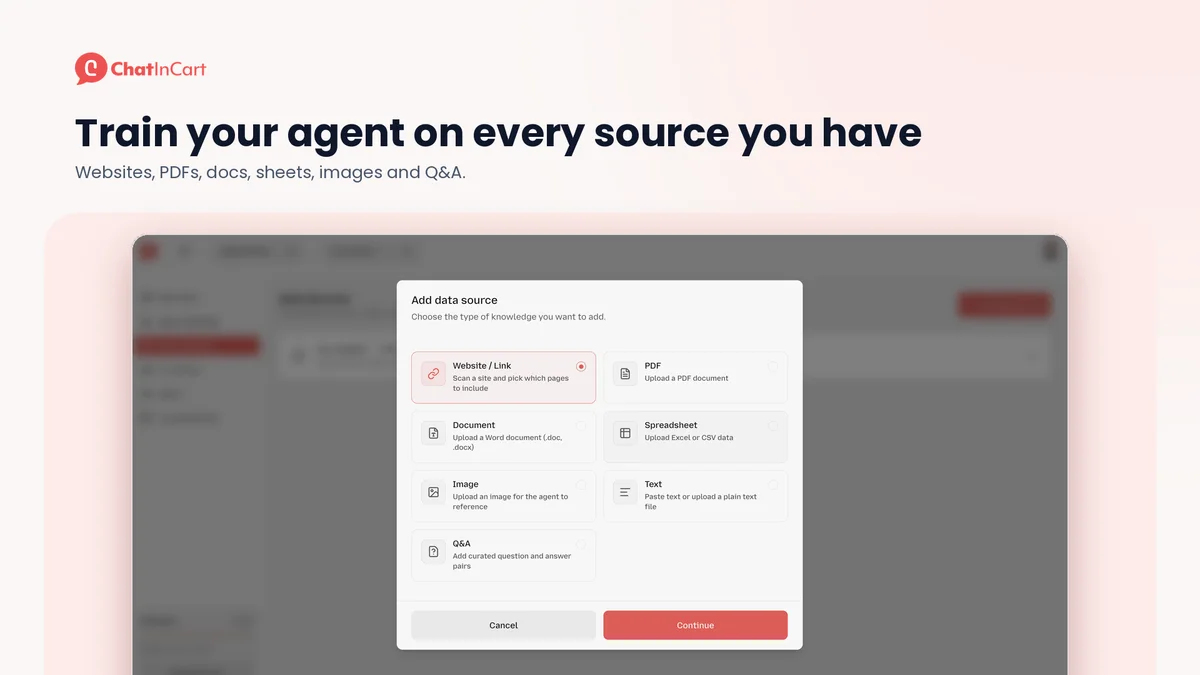
Website and document trainingTeach answers from selected pages, files and approved support information.
Included
Website pages, documents, spreadsheets, images, text and Q&A are shown as training sources.
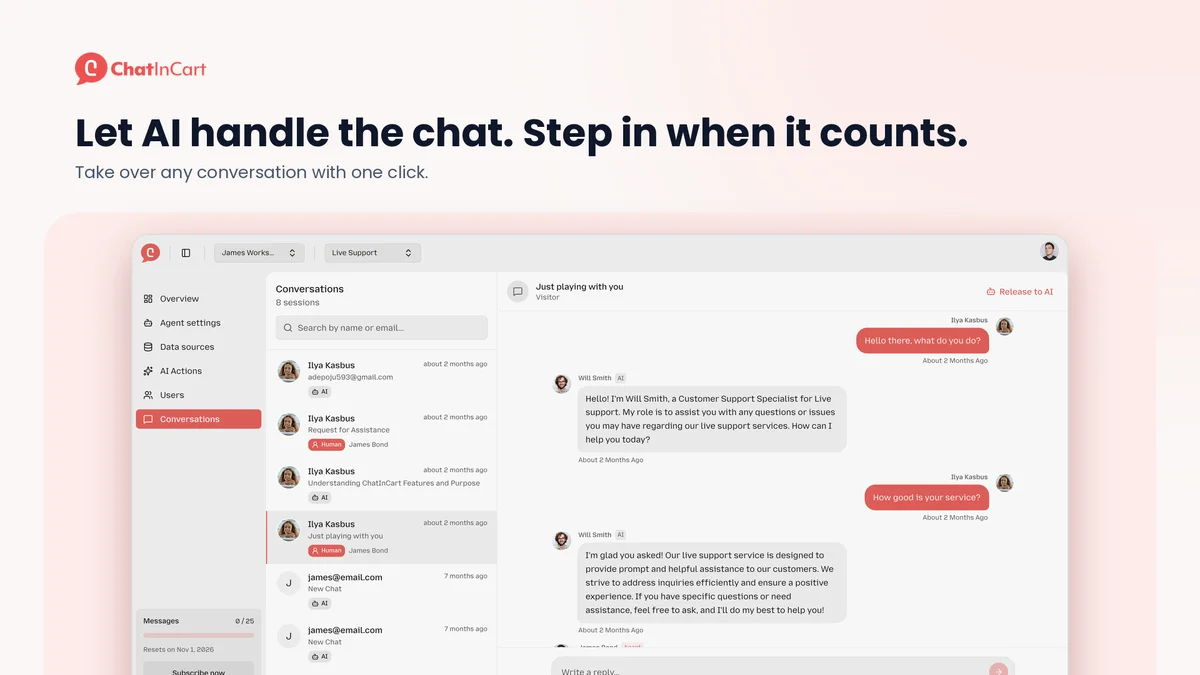
Human handoffA person can take over when an automated answer is insufficient.
Included
A person can reply in the conversation, then return it to AI.
Conversation inboxReview customer questions and replies in one place.
Included
Searchable conversation inbox with AI and human status.
Support reportingReview usage and support performance.
Included
Usage, users and session activity appear in the dashboard.
Limited2 features
Connected actionsConnect a supported business app to the assistant.
Limited
Tier 2 and Tier 3 include integrations; Tier 1 excludes them.
Custom APIs and webhooksUse documented APIs or custom actions, with the required tier.
Limited
Custom API actions are included only on Tier 3.
Not confirmed5 features
External messaging channelsBring supported external channels into the support workflow.
Not confirmed
Website embedding is confirmed; a multichannel WhatsApp/email support inbox is not established.
Branding removalRemove vendor branding; colour settings alone are not white labelling.
Not confirmed
Portal name and colours are configurable. The lifetime offer does not establish branding removal; direct pricing sells it separately.
Staff accessGive human support staff account access with known seat limits.
Not confirmed
AI agents per workspace are listed, but human staff seats are not.
Separate client accountsServe unrelated clients with licensed, isolated accounts.
Not confirmed
Separate client workspace counts and resale rights are not specified.
Automatic retrainingRefresh website knowledge on a confirmed schedule.
Not confirmed
Website training is shown, but an automatic refresh schedule is not confirmed.
Check each product’s plan notes for tier limits and additional costs. Feature coverage is not a quality rating.
USE CASES
What problems does ChatInCart solve?
01
Answer routine questions while you are offline
A visitor asks about delivery, cancellation or a service you describe somewhere on your site, but nobody is there to reply.
How to use it
Select the pages and documents containing approved answers.
Train a website assistant and embed its widget.
Review conversations and correct missing or outdated source material.
What this helps you do: This gives visitors a route to an answer without waiting for the next staffed shift.
Limitations: A published integration or training feature does not establish answer accuracy. Keep an escalation path for exceptions and account-specific requests.
02
Keep a person involved when the question becomes specific
A customer moves from a general FAQ to a case that needs judgement or access to an account.
How to use it
Find the conversation in the inbox.
Take over and reply in the same thread.
Return the thread to AI when the issue is resolved.
What this helps you do: The advertised handoff workflow keeps the support conversation together.
Limitations: The public tier table counts AI agents, not support staff. Confirm how many people can access the inbox before buying for a team.
ChatInCart images
ChatInCart or Support Board: choose by support workflow
ChatInCart is the narrower candidate when the immediate problem is answering website questions from your own material. Its free direct plan advertises 25 monthly messages, one source and 2 MB per agent, enough for a small evaluation of source handling before a lifetime purchase.
Support Board is the more documented option for a team combining website chat with external messaging channels. Its AppSumo offer defines human seats, monthly message counting and one-business licensing, but AI and provider fees are separate. Its account has one native trained chatbot; multiple independent product bots need the documented OpenAI Chats route. Choose based on those differences rather than comparing message totals as though both products meter the same event.
Which ChatInCart tier includes custom API actions?
Tier 3. The current AppSumo table excludes custom API actions on Tiers 1 and 2; integrations begin on Tier 2.
Are the message limits per assistant?
The offer labels them messages per month without clearly defining the sharing scope. Do not multiply the allowance by the agent count until the vendor confirms it.
Does the lifetime deal remove ChatInCart branding?
Branding removal is not established by the lifetime table. The direct pricing page sells it as a $25 monthly add-on; eligibility for lifetime accounts is unconfirmed.
Can I buy Tier 3 for five separate clients?
Five AI agents per workspace does not establish five client licences. Workspace, staff and client-use rights need confirmation.