Workflow automation
Live

AI Toolbox lifetime deal

The AI Toolbox lifetime deal costs $59 for the Premium extension tools across ChatGPT, Claude, Gemini and Grok. Buy it to organize conversations you already create. It does not replace the subscriptions or usage limits of those AI services.

STARTING PRICE

$59one-timeBuy now
Table of contents

Who is AI Toolbox for?

The strongest reason to buy is repeated retrieval: finding a past answer, reusing a prompt or exporting a conversation. If you mainly want cheaper access to premium AI models, this is the wrong purchase.

Suitable for

People who repeatedly reuse or retrieve work from AI chat history Researchers and writers who need portable conversation exports

Consider another option if

Does not provide paid ChatGPT, Claude, Gemini or Grok accounts. Browser extensions need access to the pages they organize. AI website changes can interrupt extension features.

AI Toolbox product interface 1

What comes with the lifetime deal?

Deal structure

One Premium licence; no tier upgrades or stacking

Included services

4 toolboxes

AI costs

Underlying service accounts and paid plans are separate

Refund window

60 days; activate within 60 days

PLANS AND PRICING

AI Toolbox plans and pricing

Prices and allowances are shown for each plan below.

PLAN DETAILS

Compare each plan’s price and allowance. Confirm any limit marked ‘Not specified’ before buying.

AI Toolbox plans and limits · USD
Plan comparison1 planFor organizing existing AI accountsLicense Tier 1
PriceUSD$59one-time
BillingOne-time payment
Included toolboxes4toolboxes
Who this tier fitsFrequent retrieval, prompt reuse and conversation export across supported services.
Keep in mindProvider subscriptions remain separate; verify browser support and information-sharing rules.
Plan notes
  • Premium plan updates; ChatGPT, Claude, Gemini and Grok toolboxes.
  • No tier upgrades or code stacking.
  • Underlying AI accounts and their limits remain separate.

Select the final tier on AppSumo. The product link opens the same listing for every tier.

Costs and limits to account for

  • Does not provide paid ChatGPT, Claude, Gemini or Grok accounts.
  • Browser extensions need access to the pages they organize.
  • AI website changes can interrupt extension features.

What the one-time licence actually buys

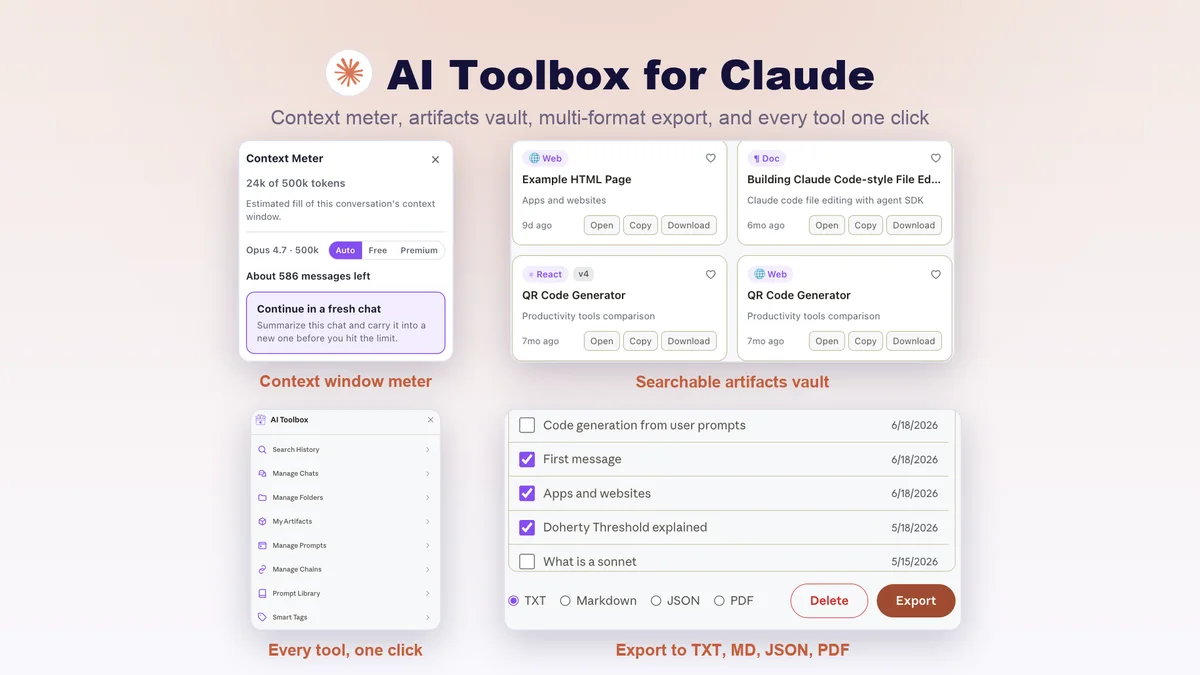
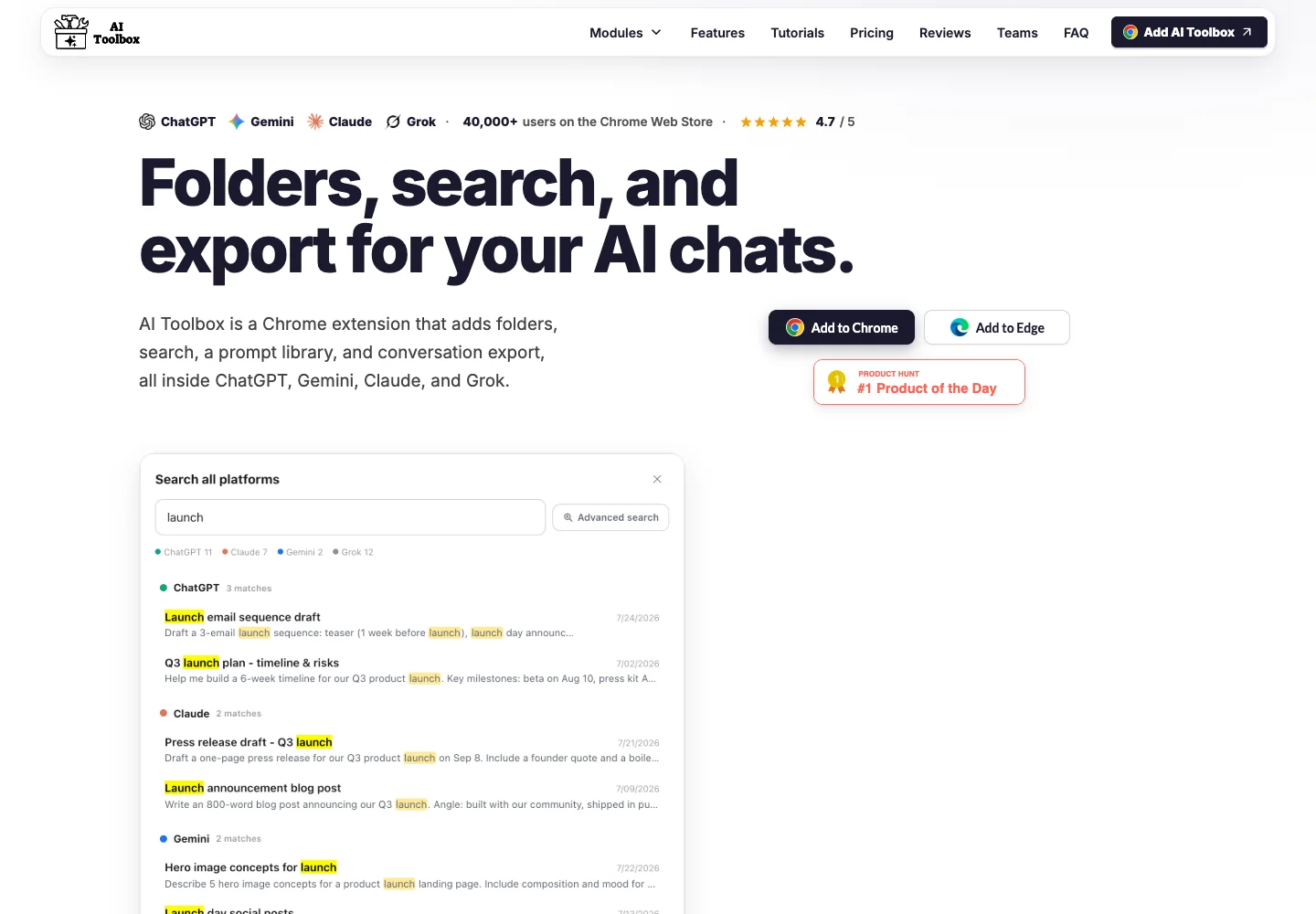
The single plan includes folders and subfolders, chat pinning, bookmarks, saved prompts, search and conversation exports. All four named toolboxes share the licence. There is no larger AppSumo tier to unlock a higher AI generation allowance, because this product organizes the AI websites rather than supplying their paid models.

A buyer already happy with native folders or search may gain little. List the missing action first: searching across old work, applying consistent organization, keeping prompts accessible, or producing files. Paying once only makes sense when one of those actions is frequent enough to justify maintaining an extension.

The official FAQ lists Chrome, Edge, Brave, Opera and Arc and provides a free plan with limited folders, prompts and search results. That gives a useful pre-purchase compatibility check without buying an AI subscription through this product.

The costs that remain outside the deal

Keep any ChatGPT, Claude, Gemini or Grok plan you need for model access and usage capacity. Installing AI Toolbox does not remove a provider message cap, enable a paid model on a free account or cover an API bill. No comparable subscription saving should count those services as cancelled.

The offer maps to Premium updates and requires activation within 60 days. It explicitly has no upgrade, downgrade or stacking route. Team sharing rights and centralized administration are not established in the deal; do not treat a unified four-toolbox licence as four employee seats.

Check extension access before using confidential chats

The founder says search and text, Markdown and JSON export run locally. The same answer distinguishes folder metadata, saved prompts and short bookmark previews that may synchronize to the service. PDF export and selected chat-processing actions can send the chosen conversation for processing. That is a more useful distinction than assuming everything stays local.

Before adding it to a work browser, review the current permission prompt and privacy policy against the information in your chats. Ask your employer or client when its rules require approval. Cross-device synchronization also needs deliberate configuration; uninstalling a browser extension is not a substitute for understanding remote account deletion.

In the product support subreddit, users reported missing sidebar controls and bookmark navigation problems, and the developer posted fixes. These reports concern earlier versions, so they do not establish a current defect. They do show why browser and AI-site compatibility belongs in your purchase check.

Choose organization, shared AI or desktop automation

AI Toolbox is the narrowest option if the work already happens in supported AI websites. WorkLLM instead supplies a shared workspace with a monthly credit pool, organization memory and model connections; moving there changes where the team works and how usage is billed.

If the task is filling desktop applications or moving files on a schedule, Robomotion addresses that different job. Neither a larger AI Toolbox licence nor more saved prompts turns this extension into a desktop robot. Compare the action you need, not the number of advertised AI features.

FEATURE COMPARISON

Features, limits and paid extras

“Included” and “unlimited” can mean different things. This checklist separates full access, usage limits, add-ons and features that are not confirmed.

Feature coverage1 / 5

1 fully included · 3 limited · 0 add-on · 0 not included · 1 not confirmed. Coverage is not a quality score.

IncludedLimitedPaid add-onNot includedNot confirmed

Features are grouped by documented coverage. “Not confirmed” means the evidence is incomplete, not that a feature is absent.

Workflow automation: documented features and conditions
FEATURESFeature comparisonAI ToolboxLifetime deal
Included1 feature
Task executionHow a workflow starts and runs.
Included

Folders, search, prompt reuse and conversation exports inside supported AI websites.

Limited3 features
App connectionsAvailable connections and permission boundaries.
Limited

Four specific AI website toolboxes; this is not an app-to-app automation connector service.

AI usageHow AI consumption is paid for.
Limited

AI-provider access and subscriptions remain separate from the extension licence.

Device supportWhere workflows can be controlled.
Limited

Browser extension workflow; check the supported browser on every work computer.

Not confirmed1 feature
Team accessSeats, account sharing and roles.
Not confirmed

A shared organizational seat or administration allowance is not established.

Check each product’s plan notes for tier limits and additional costs. Feature coverage is not a quality rating.

USE CASES

What problems does AI Toolbox solve?

01

Find previous client work without reopening every chat

Useful answers disappear among unrelated conversations and repeated New chat titles.

How to use it

  1. Group related conversations into folders and apply meaningful labels.
  2. Search for a distinctive phrase from the work.
  3. Bookmark the answer and save reusable instructions as a prompt.

What this helps you do: The documented tools offer several ways to retrieve and reuse prior work.

Limitations: Search depends on indexing and compatibility with the source website; it is not a separate archive of all your cloud accounts.

02

Hand off an AI conversation in a usable file

Copying a long thread manually loses structure and makes team handover slow.

How to use it

  1. Choose the specific conversation to share.
  2. Export in a suitable supported format.
  3. Review the file for private material, missing sections and formatting before sending.

What this helps you do: The recipient can work from an exported document rather than your signed-in browser.

Limitations: Exporting an answer does not verify its accuracy or grant permission to share client data.

BUYER FEEDBACK

What buyers say

Buyer experiences can vary with the plan, product version and workflow.

ALTERNATIVES

AI Toolbox alternatives and comparisons

IncludedLimitedPaid add-onNot includedNot confirmed

Features are grouped by documented coverage. “Not confirmed” means the evidence is incomplete, not that a feature is absent.

Workflow automation: documented features and conditions
FEATURESFeature comparisonAI ToolboxLifetime dealActiLifetime dealBetterClawLifetime deal
Where coverage differs3 features
Task executionHow a workflow starts and runs.
Included

Folders, search, prompt reuse and conversation exports inside supported AI websites.

Included

Keyboard-triggered AI actions and dictation are listed.

Limited

Scheduled or requested agent work uses runtime credits, with premium actions potentially consuming more.

AI usageHow AI consumption is paid for.
Limited

AI-provider access and subscriptions remain separate from the extension licence.

Limited

Managed credits are included; usage varies by action and BYOK is unavailable.

Paid add-on

All AppSumo tiers use the buyer’s own model connection; external model usage is not included.

Device supportWhere workflows can be controlled.
Limited

Browser extension workflow; check the supported browser on every work computer.

Limited

Official site lists Mac and Windows downloads; an October 23 founder update calls Windows early beta. Check current platform readiness.

Included

Hosted service is controlled through its web interface; no local server maintenance is required for the hosted service.

Shared limitations and conditions1 feature
App connectionsAvailable connections and permission boundaries.
Limited

Four specific AI website toolboxes; this is not an app-to-app automation connector service.

Limited

Connected actions depend on supported integrations and granted permissions.

Limited

Connector allowance and account support depend on tier; verify the specific connection required.

Evidence still incomplete1 feature
Team accessSeats, account sharing and roles.
Not confirmed

A shared organizational seat or administration allowance is not established.

Limited

The purchase is account-based and non-transferable; unlimited devices is not unlimited people.

Limited

Seats rise by tier; roles and multi-account support start at Tier 3.

Check each product’s plan notes for tier limits and additional costs. Feature coverage is not a quality rating.

Acti connected-app keyboard workflow
Live
Workflow automation

Acti

Dictate, rewrite text and run supported app actions from your keyboard.
GOOD FORPeople drafting and rewriting text inside everyday apps
$59 / once
BetterClaw agent creation interface
Live
Workflow automation

BetterClaw

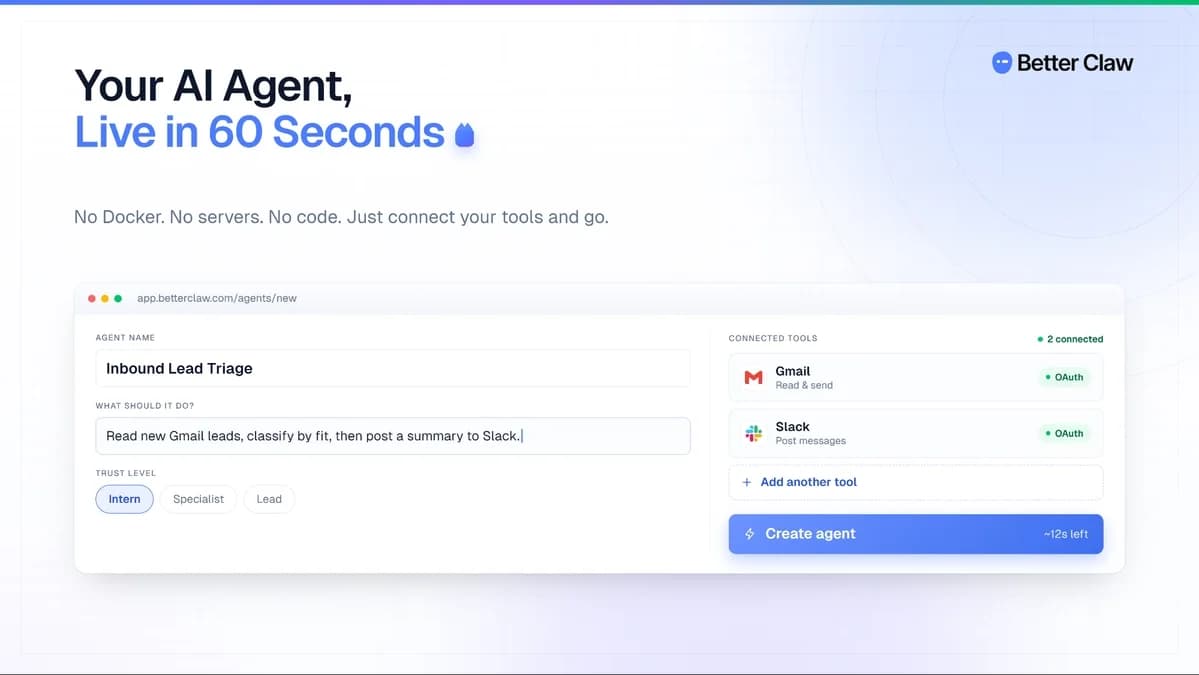
Host AI agents that run recurring tasks using your chosen AI provider.
GOOD FORPeople who need recurring agent tasks hosted without running their own server
$79 / once
Formwise product interface 1
Live
Workflow automation

Formwise

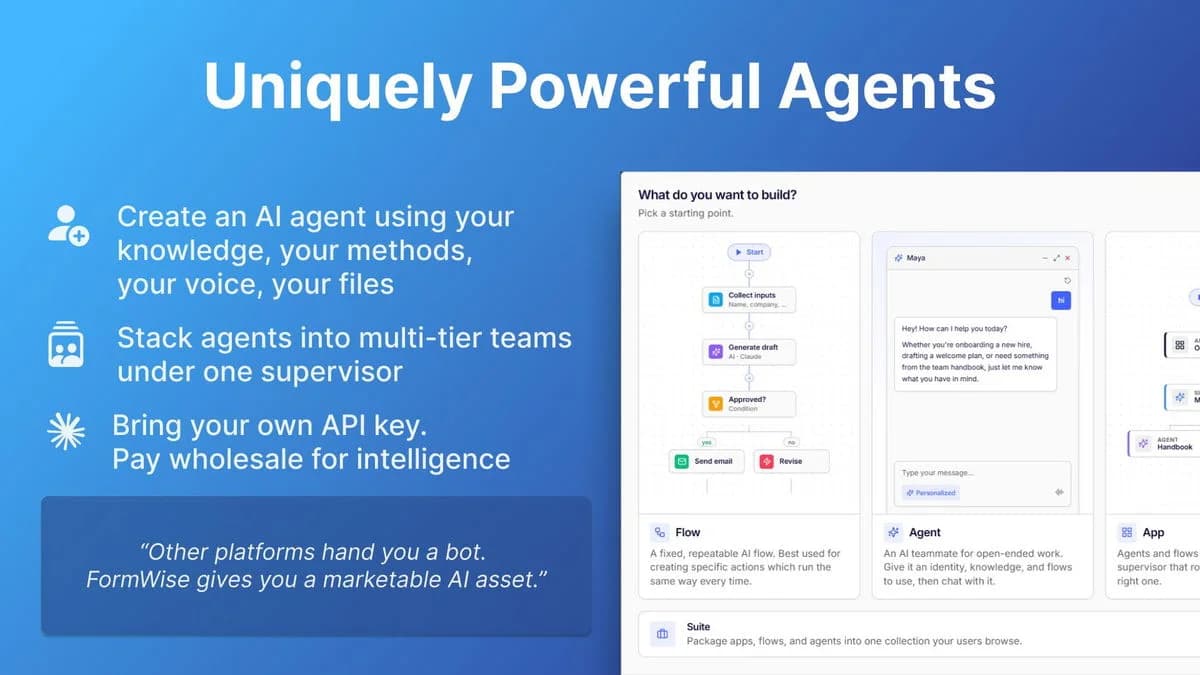
Build reusable AI tools and client portals from forms and documents.

GOOD FORConsultants turning a repeatable method into a client-facing tool
$49 / once

BEFORE YOU BUY

AI Toolbox lifetime deal FAQs

Does the deal include ChatGPT Plus or Claude Pro?

No. The purchase covers AI Toolbox extension features. Paid model access and service limits remain with the relevant provider.

Can I buy several codes for a team?

The current offer does not support code stacking. A team-seat entitlement is not established; confirm individual licensing before buying for staff.

Does all conversation processing stay on my computer?

No blanket local-only claim is appropriate. The founder distinguishes local search and some exports from optional processing and synchronization that can send selected information to its service.

Related buying recommendations