Customer onboarding
Live

Produktly lifetime deal

The Produktly lifetime deal is for explaining an existing web application through tours, checklists, tips and feedback. It is useful when users get stuck at known steps, provided you can install the required script. The offer allows unlimited created widgets, but starts with a finite monthly trigger budget and a separate allowance for roadmap and announcement views.

STARTING PRICE

$79one-timeBuy now
Table of contents

Who is Produktly for?

Start with one code for one administrator and a modest onboarding workload. Add codes for measured trigger or view demand, and obtain written clarification before buying for a precise multi-admin requirement. Avoid it for a third-party portal that cannot accept your script or for a problem that requires changing the underlying interface.

Suitable for

SaaS teams guiding users through a browser interface

Consider another option if

You must be able to install a third-party script on the target application.

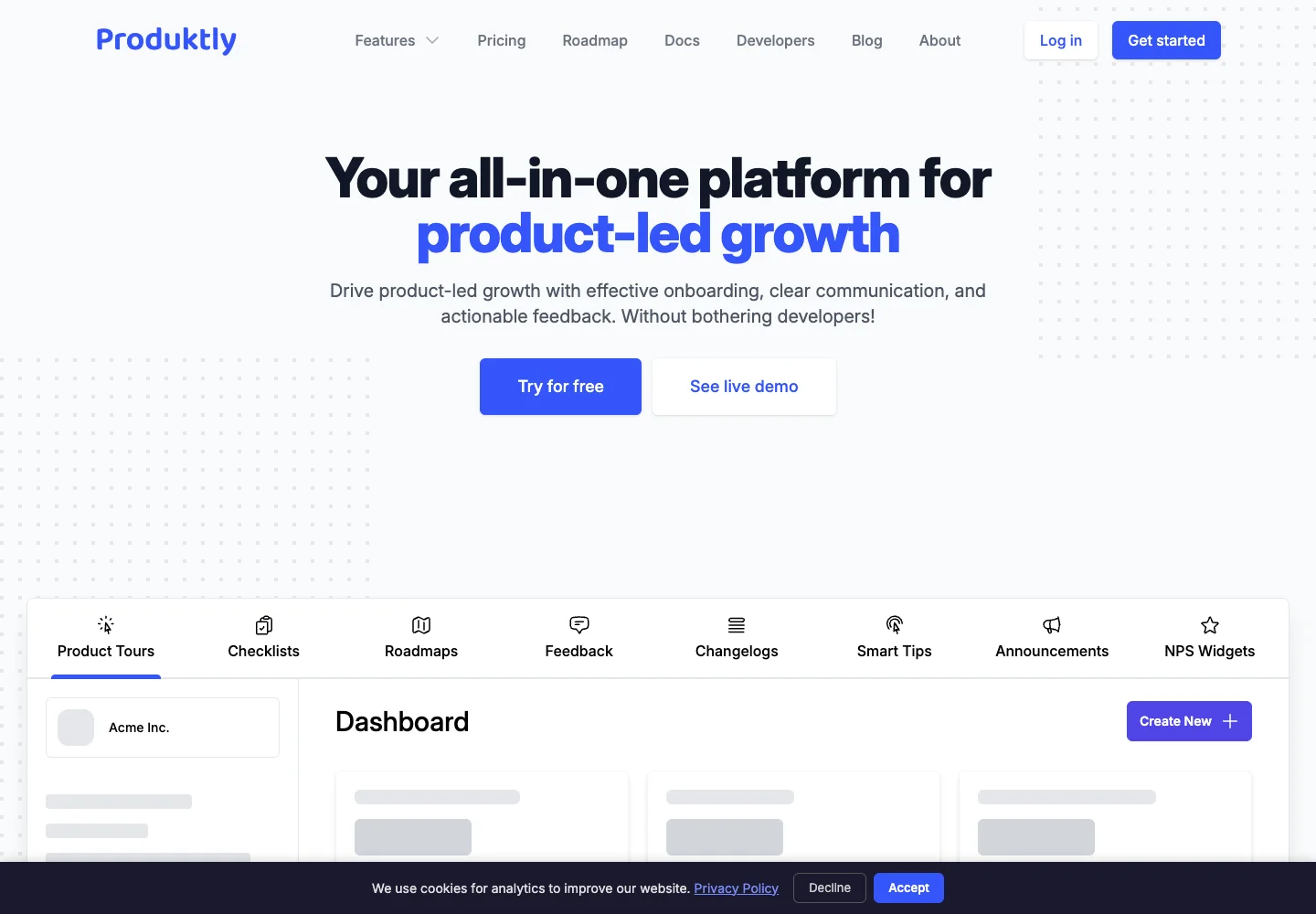
Produktly example product tour, welcome checklist and announcement widgets

What comes with the lifetime deal?

Access

Lifetime access to Produktly Plan and future updates.

Redemption and refunds

Redeem codes within 60 days; the listing states a 60-day refund period.

Stacking

Each code adds 10,000 monthly triggers and 200,000 monthly announcement/roadmap views; admin wording is inconsistent.

PLANS AND PRICING

Produktly plans and pricing

Prices and allowances are shown for each plan below.

PLAN DETAILS

Compare each plan’s price and allowance. Confirm any limit marked ‘Not specified’ before buying.

Produktly plans and limits · USD
Plan comparison10 plansOne code for a small onboarding flowLicense Tier 1Two codes for added usage and team editingLicense Tier 2Three codes for larger usageLicense Tier 3License Tier 4License Tier 5License Tier 6License Tier 7License Tier 8License Tier 9License Tier 10
PriceUSD$79one-time$158one-time$237one-time$316one-time$395one-time$474one-time$553one-time$632one-time$711one-time$790one-time
BillingOne-time paymentOne-time paymentOne-time paymentOne-time paymentOne-time paymentOne-time paymentOne-time paymentOne-time paymentOne-time paymentOne-time payment
Users1510Not specifiedNot specifiedNot specifiedNot specifiedNot specifiedNot specifiedNot specified
Widget triggers10,000triggers / month20,000triggers / month30,000triggers / month40,000triggers / month50,000triggers / month60,000triggers / month70,000triggers / month80,000triggers / month90,000triggers / month100,000triggers / month
Roadmap and announcement views200,000views / month400,000views / month600,000views / month800,000views / month1,000,000views / month1,200,000views / month1,400,000views / month1,600,000views / month1,800,000views / month2,000,000views / month
Who this tier fitsOne admin and up to 10,000 monthly triggers.20,000 triggers and the card’s five admins.30,000 triggers and 600,000 views.No plan-specific guidance recordedNo plan-specific guidance recordedNo plan-specific guidance recordedNo plan-specific guidance recordedNo plan-specific guidance recordedNo plan-specific guidance recordedNo plan-specific guidance recorded
Keep in mindView budget and repeat triggers still matter.Newer founder wording conflicts on the exact seat count.The card says ten admins; confirm if you need eleven.See plan notes belowSee plan notes belowSee plan notes belowSee plan notes belowSee plan notes belowSee plan notes belowSee plan notes below
Plan notes
  • Unlimited created tours, checklists, feedback widgets, roadmaps, changelogs, smart tips and announcements.
  • Admin count listed as 1.
  • Each additional code adds usage; later founder wording about admin increments conflicts with the first three cards.
  • Unlimited created tours, checklists, feedback widgets, roadmaps, changelogs, smart tips and announcements.
  • Admin count listed as 5.
  • Each additional code adds usage; later founder wording about admin increments conflicts with the first three cards.
  • Unlimited created tours, checklists, feedback widgets, roadmaps, changelogs, smart tips and announcements.
  • Admin count listed as 10.
  • Each additional code adds usage; later founder wording about admin increments conflicts with the first three cards.
  • Unlimited created tours, checklists, feedback widgets, roadmaps, changelogs, smart tips and announcements.
  • Admin count not established from the displayed first three cards; confirm before buying.
  • Each additional code adds usage; later founder wording about admin increments conflicts with the first three cards.
  • Unlimited created tours, checklists, feedback widgets, roadmaps, changelogs, smart tips and announcements.
  • Admin count not established from the displayed first three cards; confirm before buying.
  • Each additional code adds usage; later founder wording about admin increments conflicts with the first three cards.
  • Unlimited created tours, checklists, feedback widgets, roadmaps, changelogs, smart tips and announcements.
  • Admin count not established from the displayed first three cards; confirm before buying.
  • Each additional code adds usage; later founder wording about admin increments conflicts with the first three cards.
  • Unlimited created tours, checklists, feedback widgets, roadmaps, changelogs, smart tips and announcements.
  • Admin count not established from the displayed first three cards; confirm before buying.
  • Each additional code adds usage; later founder wording about admin increments conflicts with the first three cards.
  • Unlimited created tours, checklists, feedback widgets, roadmaps, changelogs, smart tips and announcements.
  • Admin count not established from the displayed first three cards; confirm before buying.
  • Each additional code adds usage; later founder wording about admin increments conflicts with the first three cards.
  • Unlimited created tours, checklists, feedback widgets, roadmaps, changelogs, smart tips and announcements.
  • Admin count not established from the displayed first three cards; confirm before buying.
  • Each additional code adds usage; later founder wording about admin increments conflicts with the first three cards.
  • Unlimited created tours, checklists, feedback widgets, roadmaps, changelogs, smart tips and announcements.
  • Admin count not established from the displayed first three cards; confirm before buying.
  • Each additional code adds usage; later founder wording about admin increments conflicts with the first three cards.

Select the final tier on AppSumo. The product link opens the same listing for every tier.

Costs and limits to account for

  • You must be able to install a third-party script on the target application.
  • Unlimited widgets do not mean unlimited monthly triggers.
  • Admin stacking wording conflicts; verify the exact required seat count.

Choose codes by actual widget use

One code costs $79 and provides 10,000 triggers plus 200,000 roadmap and announcement views each month. A founder answer explicitly confirms that three codes total 30,000 triggers and 600,000 views. The offer selector exposes stacks through ten codes; larger stacks mentioned in the copy should not be assumed purchasable through the current selector.

The number of tours you create is separate from the number of times people start or encounter the relevant widgets. A business can build 40 tours but use few triggers if they are narrowly targeted. Another business can exhaust a small allowance with one automatically shown tour. Count expected uses across all connected apps, including repeat visits, restarts and staff testing; do not divide the quota by monthly active users and assume one use per person.

Resolve the administrator discrepancy before buying for a team

The first three offer cards show one, five and ten admins. An October founder answer instead says the first code includes one and each added code adds five, which would imply six and eleven for the next two stacks. Those statements are not identical. The plan table here preserves the explicit cards and flags the discrepancy rather than quietly taking the more generous interpretation.

If two people will author tours, two codes clearly move beyond the single-admin entry plan, but a team requiring exactly six seats should not rely on the founder formula without confirmation. A user viewing a tour is not an administrator. Also separate a contributor who only edits release notes from someone who can change all widgets; the offer does not establish a fine-grained contributor role.

The target application must allow the script

Produktly’s setup begins with adding its code to your website. A founder answer about using it on someone else’s portal makes the requirement explicit: it works only if that service permits third-party scripts in the relevant area. Owning a login to a hosted tool does not give you control of the pages your customers see.

Before buying, identify the exact page where the user needs help and how the script can load there. A public landing page may allow custom code while a logged-in portal does not. The no-code editor reduces the work of designing guidance, but it cannot override that hosting restriction. If you cannot install a script, a concise help page or recorded walkthrough may be the practical alternative.

Start with one measurable activation task

Choose a task with a clear finish, such as creating the first project or completing a directory listing. Break it into the minimum steps the user actually needs, and target it to people who have not completed the task. Use a checklist for work spread over several visits and short tips for individual fields. A long tour explaining every menu can interrupt rather than assist the user.

After a product release, revisit the pages and controls referenced by the tour. A renamed button, hidden mobile panel or changed route can leave guidance pointing at the wrong place. Keep the tour owner involved in release checks. This maintenance cost exists even when the widget editor itself requires no coding, and it should be included when comparing the tool with clearer product copy.

Multiple apps share an account rather than creating free capacity

The founder says one account can be used across multiple domains and applications, with targeting rules separating the widgets. That helps a company with two branded products, but the code stack’s usage remains a combined budget. A second domain is not a second copy of the trigger allowance.

Create a naming convention for app, audience and purpose before adding many widgets. Keep staging and internal testing separate where targeting allows it, and check that a customer of one brand cannot see another brand’s roadmap or announcement. If clients need their own login and restricted administration, establish those permissions directly; domain targeting is not proof of client account isolation.

Support history and later capacity deserve an early check

The visible review sample contains both positive implementation reports and repeated 2025 complaints about missed support messages, previews and configuration. The founder acknowledged a support-delivery issue and said in February 2026 that monitoring and processes had been improved. More recent reviews describe helpful replies. These reports support evaluating your specific setup early; they do not prove every older defect is fixed.

A founder answer says pricing for extra triggers after the AppSumo campaign ends had not been decided. Buy for a plausible workload with some room, but do not assume a perpetual right to add cheap lifetime capacity later. The statement about priority support at 25 codes also exceeds the ten-code selector observed, so confirm availability instead of treating it as a straightforward upgrade path.

Choose between guidance, answers and feedback planning

A plain help checklist or short onboarding email is a free starting option when users need a stable sequence and you do not need in-app targeting. Produktly is more useful when context matters: showing help beside the confusing field, collecting feedback at a specific moment or introducing a new feature to a selected audience.

Answerly addresses open-ended support questions and external AI costs; it does not replace an interface tour. A dedicated roadmap or feedback product may fit better if the main job is prioritizing requests rather than guiding users. For a fair comparison, price the administrator access and monthly usage you actually need, then account for the time to maintain the guidance as your software changes.

FEATURE COMPARISON

Features, limits and paid extras

“Included” and “unlimited” can mean different things. This checklist separates full access, usage limits, add-ons and features that are not confirmed.

Feature coverage6 / 7

6 fully included · 1 limited · 0 add-on · 0 not included · 0 not confirmed. Coverage is not a quality score.

IncludedLimitedPaid add-onNot includedNot confirmed

Features are grouped by documented coverage. “Not confirmed” means the evidence is incomplete, not that a feature is absent.

Customer onboarding: documented features and conditions
FEATURESFeature comparisonProduktlyLifetime deal
Included6 features
Product toursProduct tours availability and limits
Included

Unlimited created tours, subject to monthly trigger allowance.

Onboarding checklistsOnboarding checklists availability and limits
Included

Interactive onboarding checklists.

Feedback widgetsFeedback widgets availability and limits
Included

Feedback widgets are listed across plans.

Changelogs and roadmapsChangelogs and roadmaps availability and limits
Included

Changelogs and roadmaps with separate view accounting.

Audience targetingAudience targeting availability and limits
Included

Target widgets to applications and user groups.

Custom brandingCustom branding availability and limits
Included

Your own branding is included.

Limited1 feature
Admin accessAdmin access availability and limits
Limited

Admin allowances vary; table and newer stacking wording conflict.

Check each product’s plan notes for tier limits and additional costs. Feature coverage is not a quality rating.

USE CASES

What problems does Produktly solve?

01

Help a new user complete a first task

Users abandon a setup flow before reaching its useful result.

How to use it

  1. Choose one activation outcome.
  2. Install the script and build a short targeted tour or checklist.
  3. Review it on the actual desktop and mobile flow after each relevant release.

What this helps you do: Contextual guidance can explain the next useful action.

Limitations: It cannot repair a broken underlying form or missing permission.

02

Separate guidance for two products

One team manages two differently branded applications.

How to use it

  1. Use targeting rules for each application.
  2. Name widgets by app and audience.
  3. Budget combined triggers and verify which admins can edit each set.

What this helps you do: One account can serve distinct application experiences.

Limitations: Shared usage and uncertain fine-grained admin roles remain.

BUYER FEEDBACK

What buyers say

Buyer experiences can vary with the plan, product version and workflow.

ALTERNATIVES

Choosing customer onboarding software

  • Confirm that your website or portal allows third-party scripts.
  • Count starts and views, rather than assuming a visitor equals one trigger.
  • Keep tours synchronized with changes to the underlying interface.

BEFORE YOU BUY

Produktly lifetime deal FAQs

Does unlimited tours mean unlimited users?

No. Created tours are unlimited, while monthly triggers and roadmap/announcement views are capped.

How much usage do three codes include?

The founder confirms 30,000 triggers and 600,000 announcement/roadmap views per month.

Can I use it on multiple websites?

Yes, the founder permits multiple sites/apps with targeting. They share the purchased account allowances.

Can I put a tour over any third-party portal?

Only if that portal allows the necessary third-party script.

How many admins do two codes include?

The displayed card says five, while newer founder stacking wording would imply six. Confirm the exact entitlement if that difference affects your team.

Related buying recommendations