Email inbox management
Live

NudgeForMe lifetime deal

The NudgeForMe lifetime deal starts at $49 and looks for unfinished conversations in an existing mailbox. It is intended for proposals, approvals and other threads you may have forgotten to follow up. The cheapest suitable plan depends first on your email provider and how far back you need to search.

STARTING PRICE

$49one-timeBuy now
Table of contents

Who is NudgeForMe for?

Use Tier 1 for one Gmail or Outlook mailbox when three months of history is enough. Tier 2 adds supported providers and mailboxes but remains a one-person plan. Choose Tier 3 for separate people or businesses, and Tier 4 only when its longer history, capacity or Research & Draft feature is needed. Do not buy it to supply new cold-email prospects or a public API.

Suitable for

Consultants and small teams whose proposals or approvals go quiet without a reminder.

Consider another option if

Cold prospecting that needs new leads, or an automation that requires a currently available public API or MCP.

NudgeForMe follow-up drafting workflow supplied on AppSumo.

What comes with the lifetime deal?

Deal status

Available

Payment

The lifetime licence covers the selected mailbox, history and draft allowances. Your email service and optional enrichment provider remain separate purchases.

Refund and activation

AppSumo lists activation within 60 days and a 60-day refund window for this offer.

PLANS AND PRICING

NudgeForMe plans and pricing

Prices and allowances are shown for each plan below.

PLAN DETAILS

Compare each plan’s price and allowance. Confirm any limit marked ‘Not specified’ before buying.

NudgeForMe plans and limits · USD
Plan comparison5 plansLicense Tier 1License Tier 2License Tier 3License Tier 4License Tier 5
PriceUSD$49one-time$109one-time$179one-time$299one-time$589one-time
BillingOne-time paymentOne-time paymentOne-time paymentOne-time paymentOne-time payment
Connected accounts1361550
Users1135Not specified
Workspaces1135Not specified
CreditsCheck plan notes for usage and renewal periods.2501,0003,0005,00012,000
Follow-up drafts per month250drafts / month1,000drafts / month3,000drafts / month5,000drafts / month12,000drafts / month
Team membersNot specifiedNot specifiedNot specifiedNot specifiedUnlimitedusers
WorkspacesNot specifiedNot specifiedNot specifiedNot specifiedUnlimitedworkspaces
Who this tier fitsOne Gmail or Outlook inbox and recent follow-upsOne person with three inboxes or IMAP supportThree-person or three-workspace operationsResearch & Draft or a larger mailbox workloadMany users and workspaces within 50 mailboxes
Keep in mind250 drafts can run out before a large sequence finishes.Three inboxes still means one user and one workspace.Research & Draft is not included.External enrichment and mailbox costs remain separate.Unlimited team access is not unlimited drafts or mailboxes.
Plan notes
  • Historical lookback: 3 months.
  • Follow-ups per opportunity: 3.
  • Gmail and Outlook only.
  • Research & Draft not included.
  • Team capacity is separate from connected mailbox capacity.
  • Historical lookback: 6 months.
  • Follow-ups per opportunity: 5.
  • Additional supported providers include IMAP, Yahoo and iCloud.
  • Research & Draft not included.
  • Team capacity is separate from connected mailbox capacity.
  • Historical lookback: 1 year.
  • Follow-ups per opportunity: Until reply, within the monthly draft allowance.
  • Additional supported providers include IMAP, Yahoo and iCloud.
  • Research & Draft not included.
  • Team capacity is separate from connected mailbox capacity.
  • Historical lookback: 2 years.
  • Follow-ups per opportunity: Until reply, within the monthly draft allowance.
  • Additional supported providers include IMAP, Yahoo and iCloud.
  • Research & Draft included.
  • Team capacity is separate from connected mailbox capacity.
  • Historical lookback: 4 years.
  • Follow-ups per opportunity: Until reply, within the monthly draft allowance.
  • Additional supported providers include IMAP, Yahoo and iCloud.
  • Research & Draft included.
  • Unlimited workspaces and team members; mailbox and draft caps still apply.

Select the final tier on AppSumo. The product link opens the same listing for every tier.

Costs and limits to account for

  • The product starts with existing email conversations; it does not supply a new prospect database.
  • Public API, MCP and revenue-based scoring are not currently available. Check whether your team can work without those connections and priorities.

Count people, mailboxes and businesses separately

A mailbox is the connected email account. A team member is a person using the product. A workspace separates a business or client workflow. Tier 2 includes 3 mailboxes but only 1 user and 1 workspace, so it is not the same as a three-person team plan.

Three brands with three people and one mailbox each can fit Tier 3’s three workspaces, three members and six mailboxes. Buying Tier 4 solely because three brands are involved would be unnecessary unless its other features or limits matter. Tier 5 removes workspace and team-member caps, but its 50 mailboxes and 12,000 monthly drafts still limit the service.

Count people, mailboxes and businesses separately
SituationStarting tierMain constraint
One Gmail inbox; recent conversationsTier 1250 drafts and three-month lookback
One person with an IMAP inboxTier 2First tier with additional providers
Three people managing three businessesTier 3Three users and three workspaces
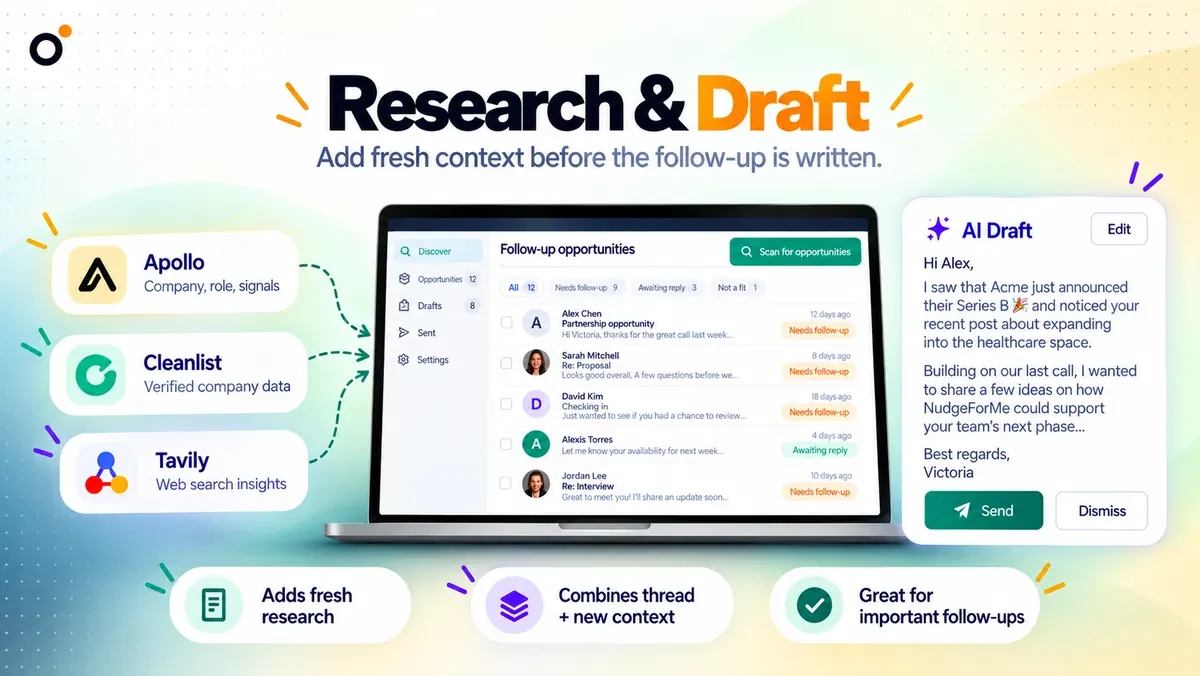
Enrichment-assisted Research & DraftTier 4First tier with the feature

Monthly draft capacity across connected mailboxes

Count planned follow-ups across the work you will generate, not just connected inboxes. For example, 100 selected opportunities with three drafts each require 300 drafts. That exceeds Tier 1’s 250 monthly allowance before revisions; Tier 2’s 1,000 is the next listed capacity to assess, provided its one-user access is sufficient.

The offer does not specify that each added mailbox creates a separate draft pool. Confirm how the allowance is shared before allocating a team budget by inbox, and leave room for the busiest month rather than dividing an annual total by twelve.

How “until reply” sequences use draft credits

“Until reply” describes a stopping condition on supported tiers. It does not remove the monthly draft limit or mean every quiet thread should receive another message indefinitely. Decide which relationships warrant another follow-up and when a person should stop the sequence.

The published details do not settle how regenerated drafts are charged or whether unused capacity rolls over. Do not plan on free rewrites or a reserve accumulated during quiet months. Ask for those rules before basing a large recurring sequence on the exact allowance.

Research is optional and external enrichment is separate

The official workflow says Research & Draft can use a connected enrichment provider such as Apollo or Cleanlist. Its inclusion on Tier 4 should not be read as a bundle of those third-party subscriptions or credits. The exact external cost depends on the provider and usage.

The founder says public REST API and MCP access are not currently available. An enrichment connection also does not establish two-way CRM synchronization. If your requirement is to trigger drafts from a CRM or build an agent-driven inbox workflow, that missing access can outweigh the lifetime price.

Review older conversations before following up

Use the history window to match a real backlog. A one-year-old proposal cannot be recovered by a three-month lookback plan. Before buying a longer window, decide which old conversations are still relevant and which should remain closed.

One inspected reviewer dismissed irrelevant opportunities as well as finding useful ones. Review thread context, completed work and recent replies before sending. The founder also says revenue and urgency scoring are not available, so prioritizing a high-value proposal over a routine message remains your decision.

FEATURE COMPARISON

Features, limits and paid extras

“Included” and “unlimited” can mean different things. This checklist separates full access, usage limits, add-ons and features that are not confirmed.

Feature coverage1 / 8

1 fully included · 5 limited · 0 add-on · 2 not included · 0 not confirmed. Coverage is not a quality score.

IncludedLimitedPaid add-onNot includedNot confirmed

Features are grouped by documented coverage. “Not confirmed” means the evidence is incomplete, not that a feature is absent.

Email inbox management: documented features and conditions
FEATURESFeature comparisonNudgeForMeLifetime deal
Included1 feature
Missed-conversation discovery
Included

Identify existing sent conversations that may need follow-up; relevance still needs review.

Limited5 features
Follow-up drafts
Limited

250 to 12,000 monthly drafts by tier.

Historical lookback
Limited

Three months to four years depending on plan.

Mailbox providers
Limited

Gmail and Outlook on Tier 1; other supported providers from Tier 2.

Workspaces and teammates
Limited

Multiple users and workspaces begin on Tier 3.

Research and enrichment
Limited

Research & Draft starts on Tier 4; external enrichment services are separate.

Not included2 features
Public API and MCP
Not included

Founder says neither is currently available.

Revenue or urgency scoring
Not included

Founder says these scoring options are not available.

Check each product’s plan notes for tier limits and additional costs. Feature coverage is not a quality rating.

USE CASES

What problems does NudgeForMe solve?

01

Find proposals that disappeared into the sent folder

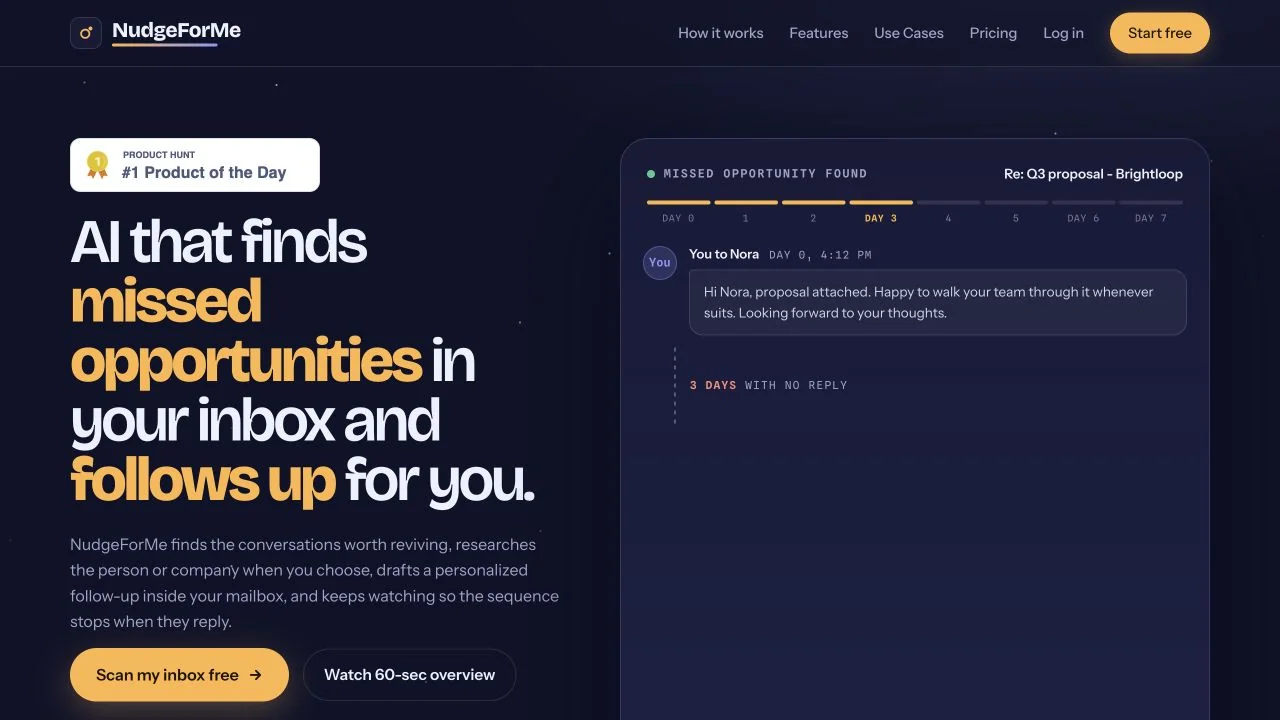
A proposal sent weeks ago can disappear from view if nobody set a reminder. Searching only messages you already flagged will not recover those missed threads.

How to use it

  1. Connect the relevant mailbox on a tier that includes its provider and the age of the conversations you want to revisit.
  2. Inspect suggested opportunities and dismiss threads that were settled elsewhere, no longer apply or should not receive another message.
  3. Review the proposed follow-up against the latest conversation before sending it from the mailbox.

What this helps you do: You get a queue of previously unflagged conversations to assess, with a draft available for the ones still worth pursuing.

Limitations: An unanswered email is not proof of an open opportunity. Review suggested follow-ups for relevance and missed replies before sending.

BUYER FEEDBACK

What buyers say

Buyer experiences can vary with the plan, product version and workflow.

NudgeForMe, mailbox reminders or a CRM follow-up process?

Mailbox snooze and calendar reminders are enough when you already know which threads need attention. NudgeForMe offers a different reason to buy: looking for unfinished conversations nobody remembered to flag.

If your sales team already works from CRM stages, owners and revenue priorities, first check whether its existing follow-up process solves the problem. NudgeForMe has no currently available public API or MCP to assume as a bridge. Additional mailboxes will not fix a missing connection to the way the team manages work.

BEFORE YOU BUY

NudgeForMe lifetime deal FAQs

Is NudgeForMe for cold email?

Its core workflow starts with existing mailbox conversations. It is not a prospect database or a cold-email sending platform.

Which tier supports ordinary IMAP hosting?

The founder says Tier 2 and above. Tier 1 is limited to Gmail and Outlook.

Are unlimited follow-ups unlimited drafts?

No. Each tier has a monthly draft allowance even when sequences can continue until a reply.

Does Research & Draft include Apollo credits?

No bundle of external enrichment credits was established. The official workflow uses your connected provider; its costs remain separate.

Can I use MCP or a public API now?

The founder says neither is currently available. Do not purchase based on a future integration promise.

Related buying recommendations