Instagram automation
Live

Inrō lifetime deal

Inrō automates Instagram conversations, with separate limits for activated contacts and AI actions. A plan with enough contacts can still run short of AI credits during longer conversations. Compare both allowances, then check team access and optional overage charges.

STARTING PRICE

$59one-timeBuy now
Table of contents

Who is Inrō for?

Tier 1 suits one account with light AI use. For 300 contacts receiving three one-credit AI actions each, Tier 2 is the first plan with enough credits. Adding a two-credit handover check to every conversation would take that flow over its allowance. Choose Tier 3 when Meta Conversions API is required, and Tier 4 for partner onboarding and branding. More contact capacity alone does not pay for longer AI conversations.

Suitable for

It suits Instagram businesses with repeated qualifying questions and a person available for enquiries that need individual attention.

Consider another option if

Look elsewhere if your main requirement is post scheduling or customer conversations across several non-Instagram networks.

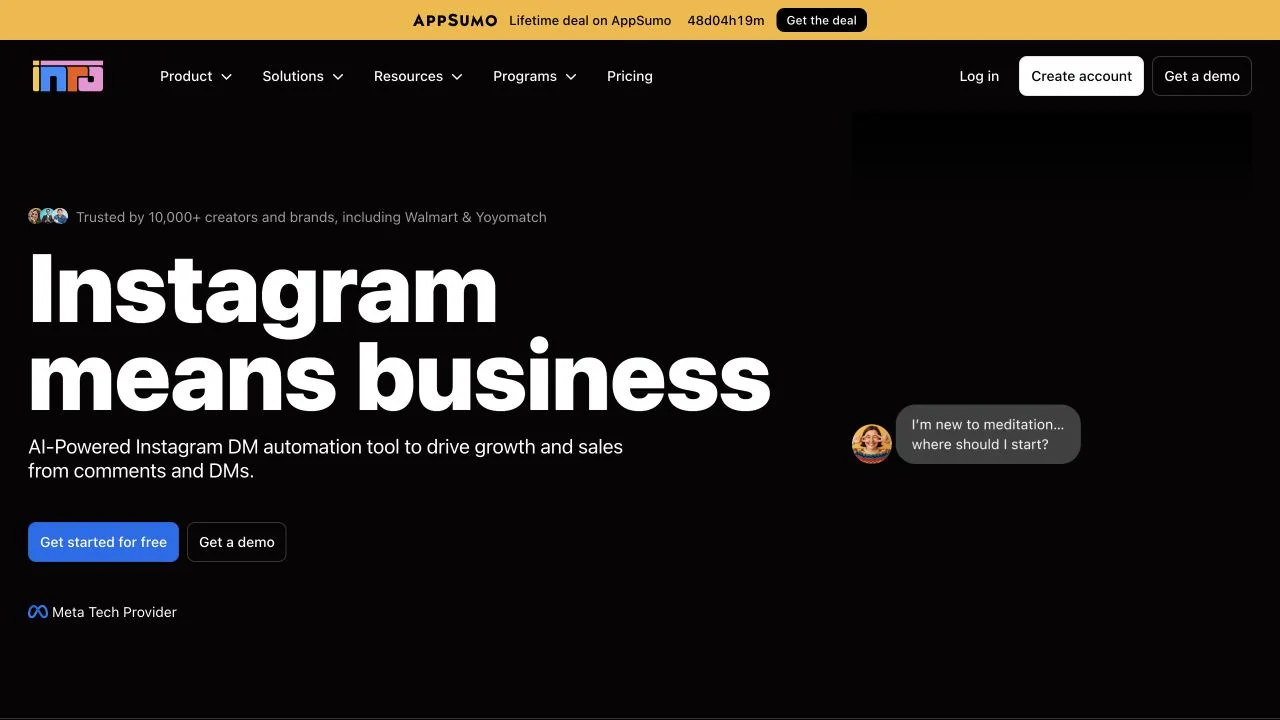
Inrō product interface supplied on AppSumo

What comes with the lifetime deal?

Metered unit

Activated contacts and AI actions are different monthly pools; stored CRM contacts are not the same limit.

Pooling

The total licensed allowance can be used across included accounts. Do not multiply the published total by the account count.

Exhaustion

Default behavior is a usage cap. AI agents stop; AI steps may be skipped and conditions evaluate false when credits are depleted.

Extra usage

Paid contact and AI overage requires opting in with a payment method; Tier 2+ can use eligible OpenAI BYOK after the included pool.

Terms

New users only, five selectable tiers, no stacking; activate within 60 days and use the 60-day refund window for evaluation.

PLANS AND PRICING

Inrō plans and pricing

Prices and allowances are shown for each plan below.

PLAN DETAILS

Compare each plan’s price and allowance. Confirm any limit marked ‘Not specified’ before buying.

Inrō plans and limits · USD
Plan comparison5 plansA single account with modest automated activityLicense Tier 1A small team or two Instagram accounts needing BYOKLicense Tier 2Businesses needing Meta Conversions API or more AI capacityLicense Tier 3Agencies needing partner onboarding and brandingLicense Tier 4Large Instagram operations with an established workloadLicense Tier 5
PriceUSD$59one-time$119one-time$299one-time$499one-time$799one-time
BillingOne-time paymentOne-time paymentOne-time paymentOne-time paymentOne-time payment
Connected accounts124820
Users1351025
CreditsCheck plan notes for usage and renewal periods.2001,4008,00040,000200,000
Activated contacts500contacts/month, shared pool3,600contacts/month, shared pool20,000contacts/month, shared pool112,000contacts/month, shared pool600,000contacts/month, shared pool
AI credits200credits/month, shared pool1,400credits/month, shared pool8,000credits/month, shared pool40,000credits/month, shared pool200,000credits/month, shared pool
Campaigns10campaigns/month50campaigns/month150campaigns/month400campaigns/month800campaigns/month
Folders10foldersUnlimitedfoldersUnlimitedfoldersUnlimitedfoldersUnlimitedfolders
Who this tier fitsOne Instagram account with few AI-assisted conversations.Two accounts or a three-person team, including buyers who need OpenAI BYOK.Four accounts, five team members or a requirement for Meta Conversions API.Agencies needing partner onboarding and branding across up to eight accounts.An operation needing more than eight accounts or ten team members.
Keep in mindBudget AI steps first: the contact allowance is much larger than the AI-credit balance.The 900-credit example fits; adding the illustrated handover checks raises it to 1,500 and exceeds this tier.Advanced weekly reporting was still on the roadmap; do not count it as a delivered feature.Confirm the exact branded pages and reserve capacity for each client within the shared pool.Twenty accounts share the published totals; optional overage still adds usage charges.
Plan notes
  • Contact and AI allowances are pooled across the accounts covered by this license.
  • Unused monthly AI credits do not roll over; promotional balances have separate rules.
  • Without opt-in overage or eligible BYOK, usage is capped.
  • Contact and AI allowances are pooled across the accounts covered by this license.
  • Unused monthly AI credits do not roll over; promotional balances have separate rules.
  • Without opt-in overage or eligible BYOK, usage is capped.
  • Contact and AI allowances are pooled across the accounts covered by this license.
  • Unused monthly AI credits do not roll over; promotional balances have separate rules.
  • Without opt-in overage or eligible BYOK, usage is capped.
  • Contact and AI allowances are pooled across the accounts covered by this license.
  • Unused monthly AI credits do not roll over; promotional balances have separate rules.
  • Without opt-in overage or eligible BYOK, usage is capped.
  • Contact and AI allowances are pooled across the accounts covered by this license.
  • Unused monthly AI credits do not roll over; promotional balances have separate rules.
  • Without opt-in overage or eligible BYOK, usage is capped.

Select the final tier on AppSumo. The product link opens the same listing for every tier.

Costs and limits to account for

  • Monthly contact and AI allowances are separate constraints
  • AI workflows can stop or skip actions when credits run out
  • External API costs apply when using BYOK or paid integrations

Estimate the AI cost of one enquiry

A basic AI reply, message rewrite or qualifying condition commonly costs one credit under the official action table. Some actions only charge on a match; an ask-question matching step and a handover task check can cost two. A generated cover costs five. The number of customers is therefore not the same as the number of credits.

For an illustrative 300-contact month with two AI replies and one one-credit matched condition per contact, allow 900 AI credits. That exceeds Tier 1’s 200 but fits Tier 2’s 1,400, provided the account, seat and campaign limits also fit. Adding a two-credit handover check to every conversation raises the example to 1,500, above that same Tier 2 balance.

Illustrative workload; actual flow actions determine cost
Monthly flowAI-credit estimateImplication
300 contacts × 3 one-credit actions900Tier 2 candidate
Add one 2-credit handover check per contact+6001,500 total exceeds Tier 2
Two accounts, uneven activityUse the shared totalDo not reserve a separate rigid cap for each account

Shared pools and optional recurring costs

The included Instagram accounts share one licence pool. Allocate a working budget to each client, then monitor the combined balance: unusually busy campaigns on one account can consume what another client expected to use. Those internal budgets are your planning limits, not extra allowances supplied by the plan.

The documented contact overage rates by Tier 1–5 are $0.02, $0.02, $0.015, $0.015 and $0.01 per contact; AI overage is $0.05, $0.05, $0.04, $0.04 and $0.03 per credit. These are optional recurring usage charges, not part of the one-time purchase. Monthly AI credits do not roll over. Promotional bonus balances have separate expiry and spending-order rules.

BYOK starts at Tier 2 and uses a separately billed OpenAI account after the included pool, as described in the lifetime guide. It does not convert contact capacity into unlimited use. Setup-chat testing is free, but running an actual test scenario can spend AI credits.

Do you need MCP, conversions or agency branding?

API and MCP are included in every lifetime tier according to the current official guide. Choose a higher tier for capacity or a gated capability, not merely because an older comparison article says basic API access starts higher. Meta Conversions API starts at Tier 3; white-label partner onboarding starts at Tier 4.

Weekly advanced reporting was still described as coming soon. Do not pay for a higher tier solely to obtain a report that is not yet delivered. For agency branding, confirm the exact onboarding pages and customer-facing surfaces covered before promising a fully branded client service.

FEATURE COMPARISON

Features, limits and paid extras

“Included” and “unlimited” can mean different things. This checklist separates full access, usage limits, add-ons and features that are not confirmed.

Feature coverage3 / 8

3 fully included · 5 limited · 0 add-on · 0 not included · 0 not confirmed. Coverage is not a quality score.

IncludedLimitedPaid add-onNot includedNot confirmed

Features are grouped by documented coverage. “Not confirmed” means the evidence is incomplete, not that a feature is absent.

Instagram automation: documented features and conditions
FEATURESFeature comparisonInrōLifetime deal
Included3 features
Comment to DMInbound engagement triggers
Included

Automations connect supported Instagram comment and message triggers to follow-up workflows.

Contact managementStored versus activated contacts
Included

Stored CRM contacts are unlimited; activated contacts are the metered unit.

API and MCPExternal automation access
Included

Official lifetime documentation includes API and MCP in all tiers.

Limited5 features
AI repliesAction-based usage budget
Limited

AI replies and actions consume a separate monthly allowance.

Multiple accountsAccount and collaborator limits
Limited

Account and team capacity increase by tier; plan balances are shared.

Bring your own keyExternal AI billing
Limited

OpenAI BYOK starts at Tier 2 and bills the external provider separately.

Conversions APIAd-event integration access
Limited

Meta Conversions API starts at Tier 3.

Agency brandingPartner onboarding features
Limited

Partner onboarding and white-label capabilities start at Tier 4; verify exact branded surfaces.

Check each product’s plan notes for tier limits and additional costs. Feature coverage is not a quality rating.

USE CASES

What problems does Inrō solve?

01

Qualify Instagram enquiries without rewriting the same replies

Potential customers ask the same opening questions, but a person still needs to handle unusual requests and decide which leads to pursue.

How to use it

  1. Connect an eligible Instagram account and define its offer and approved knowledge.
  2. Create a comment or message trigger and ask only the qualification questions the business needs.
  3. Store useful answers in the contact record and define an explicit human handoff.
  4. Review conversations and credit consumption before expanding the flow.

What this helps you do: The contact record can hold the answers a person needs for follow-up, instead of asking the customer the same questions again.

Limitations: The agent only has the information and permissions it is given. Accuracy, consent and platform messaging rules still matter; do not promise sales from automated replies.

02

Keep a reply route when AI credits run out

An automation can continue while its AI-dependent steps no longer operate after the balance runs out.

How to use it

  1. Estimate AI replies and other actions per conversation, not just contacts reached.
  2. Monitor the 80% and full-use warnings and inspect separate monthly balances.
  3. Keep a non-AI fallback or handoff for exhausted-credit cases.
  4. Enable paid overage or BYOK only after deciding an acceptable spending ceiling.

What this helps you do: A customer can be directed to a person when paid AI steps stop, without enabling open-ended overage simply to keep the flow moving.

Limitations: AI replies can stop even while contact capacity remains. Keep the contact and AI balances visible to whoever manages the flow.

BUYER FEEDBACK

What buyers say

Buyer experiences can vary with the plan, product version and workflow.

When Instagram automation is worth adding

Manual replies remain the simpler option when enquiries are rare or every sale needs an individual discussion. Inrō is a stronger candidate when customers repeatedly ask the same qualification questions and a person can take over at a clearly defined point.

Compare another Instagram automation service using the same sample conversation, including AI replies, matching conditions and handover checks. Check how a customer reaches a person after an allowance is exhausted. A publishing calendar or support for other social networks is a separate requirement; this deal should not be bought as a replacement for those tools.

BEFORE YOU BUY

Inrō lifetime deal FAQs

Are the published contact limits per account or shared?

The official lifetime guide describes a pooled license allowance shared across the included accounts. Do not multiply the plan total again by its account count.

Does Inrō charge automatically when credits run out?

The default is a cap. Continued paid overage requires opting in with a payment method; eligible BYOK also requires separate setup and provider billing.

Which tier includes API and MCP?

The current official lifetime documentation includes both in all tiers. Meta Conversions API is a separate feature starting at Tier 3.

What happens to the flow when AI credits are exhausted?

The official guide says AI agents stop, AI steps are skipped and AI conditions return false; non-AI flow steps can continue. Plan an explicit fallback.

Are all the positive reviews independent?

The sample is small and the vendor offers an account/allowance incentive for reviewing. Treat buyer comments as individual reports, not proof of universal satisfaction.

Related buying recommendations