The Decloak lifetime deal starts at $49 for up to 50 pages per scan and 5 scans per domain per day. Choosing a tier also means choosing which investigations and evidence exports are included, not simply buying a larger security score.
Decloak Starter fits recurring checks of smaller public sites. Pro adds deeper coverage, team/compliance reporting and API use; Enterprise is the tier to evaluate for active testing and authenticated investigations. None is a substitute for a contextual security review or a promise that a passing score proves an application safe.
Suitable for
Teams reviewing their own deployed applications; Agencies documenting authorized recurring assessments; Builders who can investigate and prioritize findings
Consider another option if
Active testing requires Enterprise and authorization; False positives and reporting ambiguity are documented; Compliance mapping is not certification
What comes with the lifetime deal?
Starter depth
50 pages
Higher depth
200 pages
Active testing
Enterprise
Assurance
Human review still required
PLANS AND PRICING
Decloak plans and pricing
Prices and allowances are shown for each plan below.
PLAN DETAILS
Compare each plan’s price and allowance. Confirm any limit marked ‘Not specified’ before buying.
Decloak plans and limits · USD
Plan comparison3 plans
Starter
Pro
Enterprise
PriceUSD
$49one-time
$158one-time
$198one-time
Billing
One-time payment
One-time payment
One-time payment
Pages per scan
50pages
200pages
200pages
Scans per domain per day
5scans/day
10scans/day
15scans/day
Who this tier fits
Smaller public-site checks and PDF findings.
Larger sites, API use and team/compliance reporting.
Authorized active testing, API endpoint tests and authenticated scanning.
Keep in mind
Unlimited total scans still have a per-domain daily ceiling.
Unlimited total scans still have a per-domain daily ceiling.
Unlimited total scans still have a per-domain daily ceiling.
Plan notes
Smaller public-site checks and PDF findings.
Unlimited total scans still have a per-domain daily ceiling.
Larger sites, API use and team/compliance reporting.
Unlimited total scans still have a per-domain daily ceiling.
Authorized active testing, API endpoint tests and authenticated scanning.
Unlimited total scans still have a per-domain daily ceiling.
Select the final tier on AppSumo. The product link opens the same listing for every tier.
Active testing requires Enterprise and authorization
False positives and reporting ambiguity are documented
Compliance mapping is not certification
Buy the investigation you need
Starter costs $49 and crawls up to fifty pages, with five scans per domain per day. It includes AI investigation, subdomain-takeover detection, PDF export and scheduling. It does not include the active-testing tools merely because their names appear in the feature list: the Starter plan excludes them.
Pro costs $158 and raises crawl depth to two hundred pages and the daily per-domain allowance to ten. Its API, team assignment and compliance reporting fit a repeatable evidence workflow. Pro still excludes DAST, AI pentesting and authenticated scan mode.
Enterprise costs $198 and keeps the two-hundred-page depth while allowing fifteen scans per domain per day. Its meaningful difference is the deeper testing feature set, including authenticated scanning and API endpoint investigation. Buy it for those requirements, not an assumption that the largest tier has unlimited crawl depth.
A page cap is a coverage boundary
A successful report only describes what the scanner reached and assessed. A site with many routes, role-specific screens or interaction-dependent pages may not fit a simple page count. Review the actual scanned URLs and exclusions before using a grade in a client report.
The per-domain daily cap matters when validating fixes. An initial scan followed by several small rescans can consume the allowance faster than a once-daily monitoring schedule suggests. Plan grouped remediation and a final verification pass rather than scheduling every code change as another full scan.
The marketing describes a quick initial result, but a multi-page investigation and an active test are different tasks. No scan duration was measured here. Treat speed claims as vendor descriptions and budget time for interpreting evidence, not just waiting for a score.
Passive findings, active signals and confirmed behavior differ
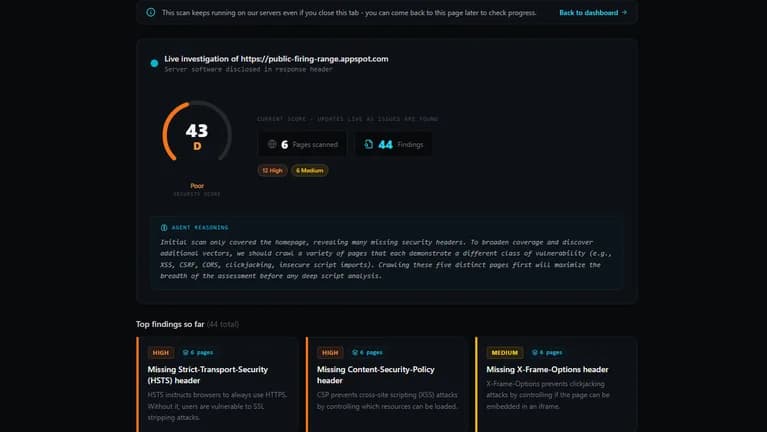
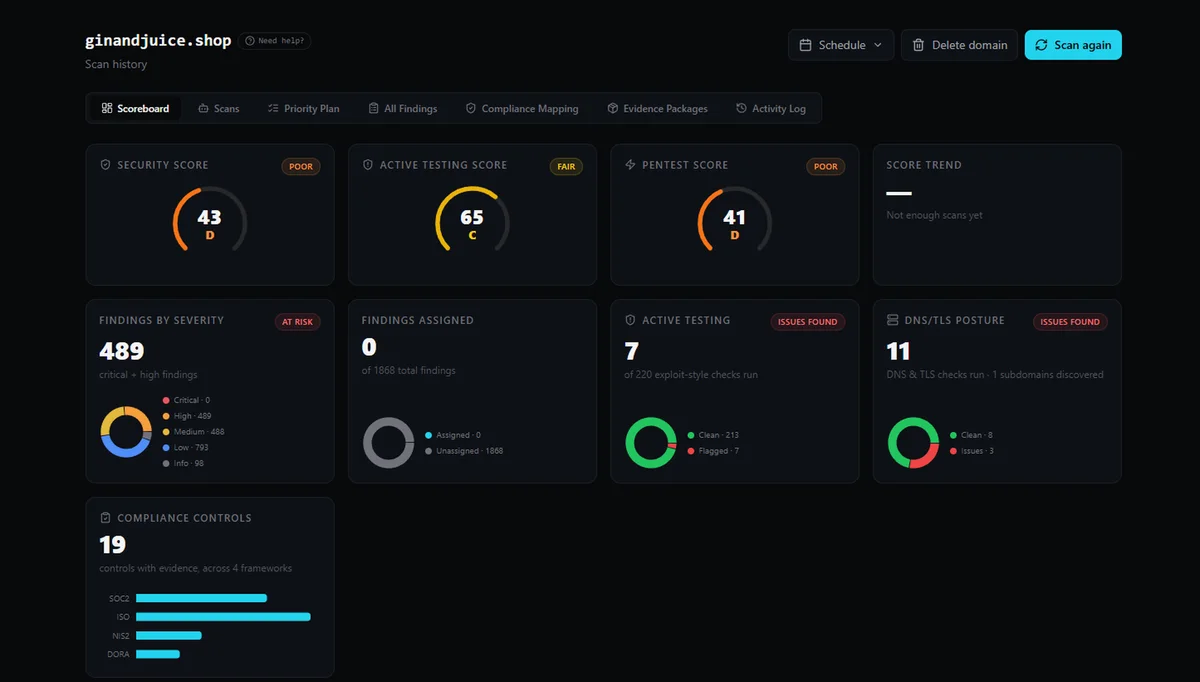
Decloak distinguishes ordinary investigation, active security testing and AI pentesting. Active testing probes plausible issues; AI pentesting goes further against findings using sandboxed tools. The product keeps their scores separate rather than blending them into one grade. That separation helps explain what was actually attempted.
Run these tools only against systems you own or are authorized to assess. For a client, agree on scope and testing conditions before enabling active modes. An application with payment or account-changing endpoints needs more care than a static public page.
Authenticated scanning can expose information inaccessible to a public crawler, but a single test account cannot demonstrate all role boundaries. Ask the report to show which account and routes were covered, then verify whether an ordinary user can access another user’s records.
Treat evidence as the deliverable
The latest visible reviews include specific requests for clearer false-positive handling, unique-issue counts and distinctions between detected, potential and confirmed findings. Buyers also praise responsive changes to reports and recurring-scan settings. These are important details for an agency handing a document to a paying client.
A suspicious JavaScript pattern can require investigation without proving exploitability. Likewise, repeated instances of one issue should not automatically be presented as many unrelated vulnerabilities. Review the affected URL, evidence and remediation advice before making a change or claiming an incident.
Keep the before-and-after report and document why a finding was accepted, fixed or dismissed. That creates a more defensible maintenance record than simply circulating the overall letter grade. The reviewed buyer reports are not defects reproduced by us, and later updates may change individual behaviors.
Framework mapping supports an audit; it does not perform one
The current founder update maps findings to several frameworks and explicitly says the mapping is indicative, not a certified audit. A reachable web scan cannot establish every organizational process, contractual requirement or development practice needed for compliance.
For a vendor questionnaire, attach the relevant findings and their dates rather than promising that purchasing the scanner satisfies a framework. A clean scan does not establish business-logic correctness, complete access control or future security after code changes.
The vendor terms also warn that free-tier reports may be accessible to anyone holding the report link. Avoid putting credentials into submitted URLs and confirm report-sharing behavior for the paid workflow before collecting client evidence. A scan does not establish legal or regulatory compliance.
Compare ongoing evidence work, not just scan counts
The offer requires activation within sixty days, allows movement among three tiers and says no code stacking. Its lifetime wording concerns the life of the granted tier under the vendor terms. The offer does not define a paid capacity pack beyond the daily/page limits, so do not assume one can be purchased later.
Vibe App Scanner is worth comparing when the priority is actionable findings for an AI-built app and separate code-repository analysis. Its monthly scan pools, repository beta scope and API tier gates differ materially from Decloak’s daily per-domain model.
For an early non-sensitive experiment, a free scan can help inspect the report style. A business with a contractual penetration-testing requirement should select a qualified assessment for that requirement. Automated scanning can support recurring verification without being the entire assurance process.
FEATURE COMPARISON
Features, limits and paid extras
“Included” and “unlimited” can mean different things. This checklist separates full access, usage limits, add-ons and features that are not confirmed.
Feature coverage2 / 8
2 fully included · 5 limited · 0 add-on · 0 not included · 1 not confirmed. Coverage is not a quality score.
Features are grouped by documented coverage. “Not confirmed” means the evidence is incomplete, not that a feature is absent.
Website security: documented features and conditions
FEATURESFeature comparison
DecloakLifetime deal
Included2 features
URL scanningInspect the deployed reachable application.
Included
Public URL investigation with tier-specific crawl depth.
Recurring checksSchedule checks within the applicable quota.
Included
Scheduled recurring scans are listed for all tiers.
Limited5 features
Active testingProbe behavior beyond passive observations within authorized scope.
Limited
DAST and AI pentesting are Enterprise features.
Authenticated coverageInvestigate routes requiring a permitted test account.
Limited
Authenticated scan mode is Enterprise.
REST APIAutomate supported scan operations.
Limited
API starts at Pro.
AI assistant connectionUse supported MCP tools without assuming full API equivalence.
Limited
MCP is advertised; confirm permissions for the selected tier.
Evidence and reportsExport actionable findings and explain uncertainty.
Limited
PDF findings on Starter; team/compliance evidence and branding on higher tiers.
Not confirmed1 feature
Repository analysisInspect supported source and dependency patterns.
Not confirmed
Full private repository scanning was not established.
Check each product’s plan notes for tier limits and additional costs. Feature coverage is not a quality rating.
USE CASES
What problems does Decloak solve?
01
Verify a deployment change
A team wants to see whether a fix removed a reported exposure.
How to use it
Record the affected URL and evidence.
Apply the reviewed change in the agreed environment.
Rescan and compare the same issue, including coverage.
What this helps you do: A dated before-and-after record supports remediation.
Limitations: A missing finding is meaningful only if the relevant route was reached.
02
Prepare client evidence
An agency needs an understandable security report.
How to use it
Agree on domain and testing scope.
Choose the tier for authorized modes and reporting.
Review duplicates, severity and uncertain findings before sharing.
What this helps you do: Clients receive a prioritized assessment record.
Limitations: The report is supporting evidence, not certification.
BUYER FEEDBACK
What buyers say
Buyer experiences can vary with the plan, product version and workflow.
Mixed feedback
Useful evidence with ongoing accuracy improvements
Recent buyer reviews praises report detail and support while requesting better context for false positives, recurring-scan state and unique-issue counts.